One record for every bike you own
Road, gravel, trainer, the commuter you keep meaning to service. Each one carries its own record in Componentry: what it cost, how it is insured, how far it has really gone, how it is set up, and how it fits you.
Start your 2-month free trial. No credit card required.
Sunday bike · Road
Example bike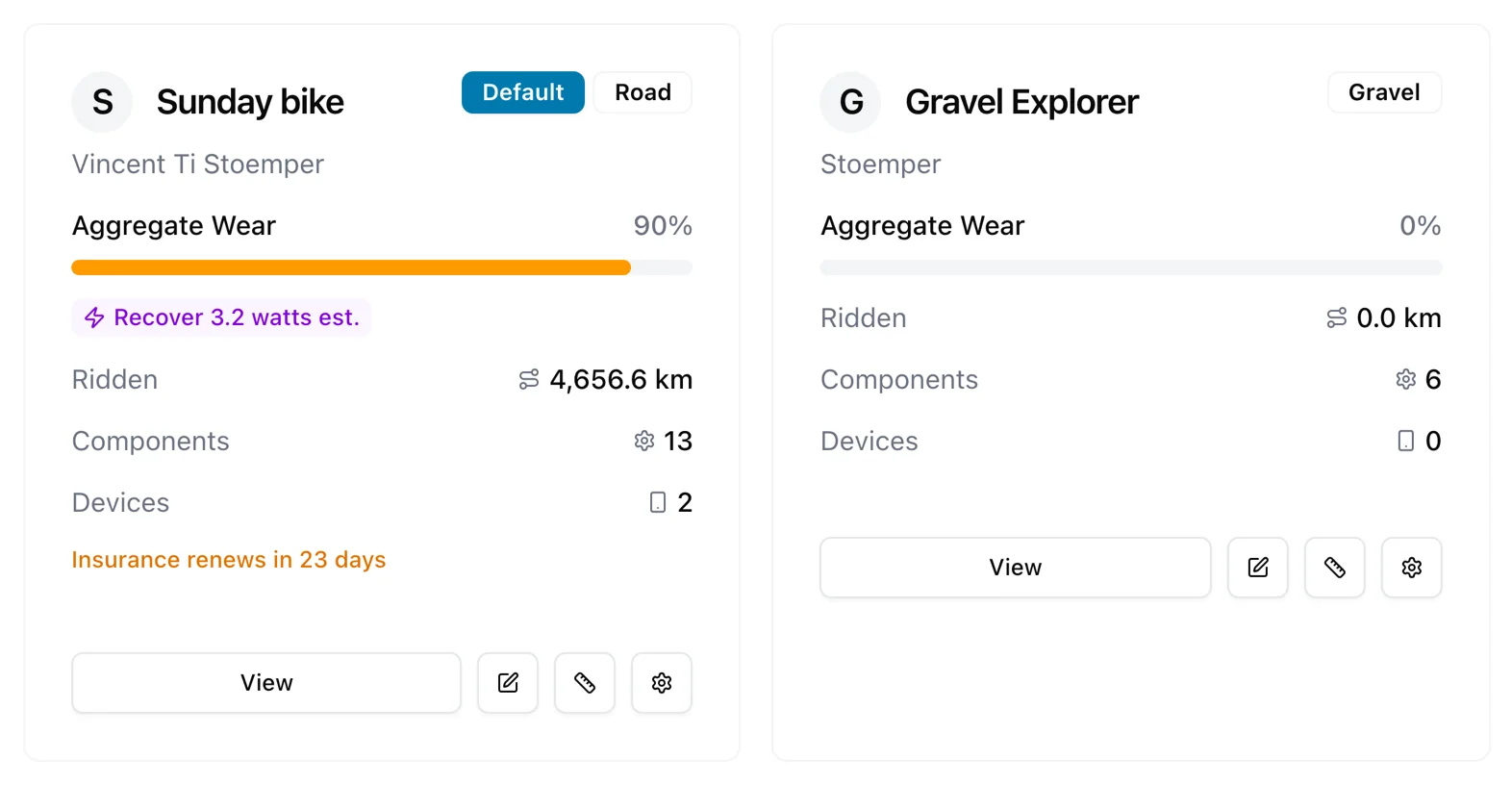
All your bikes, one place
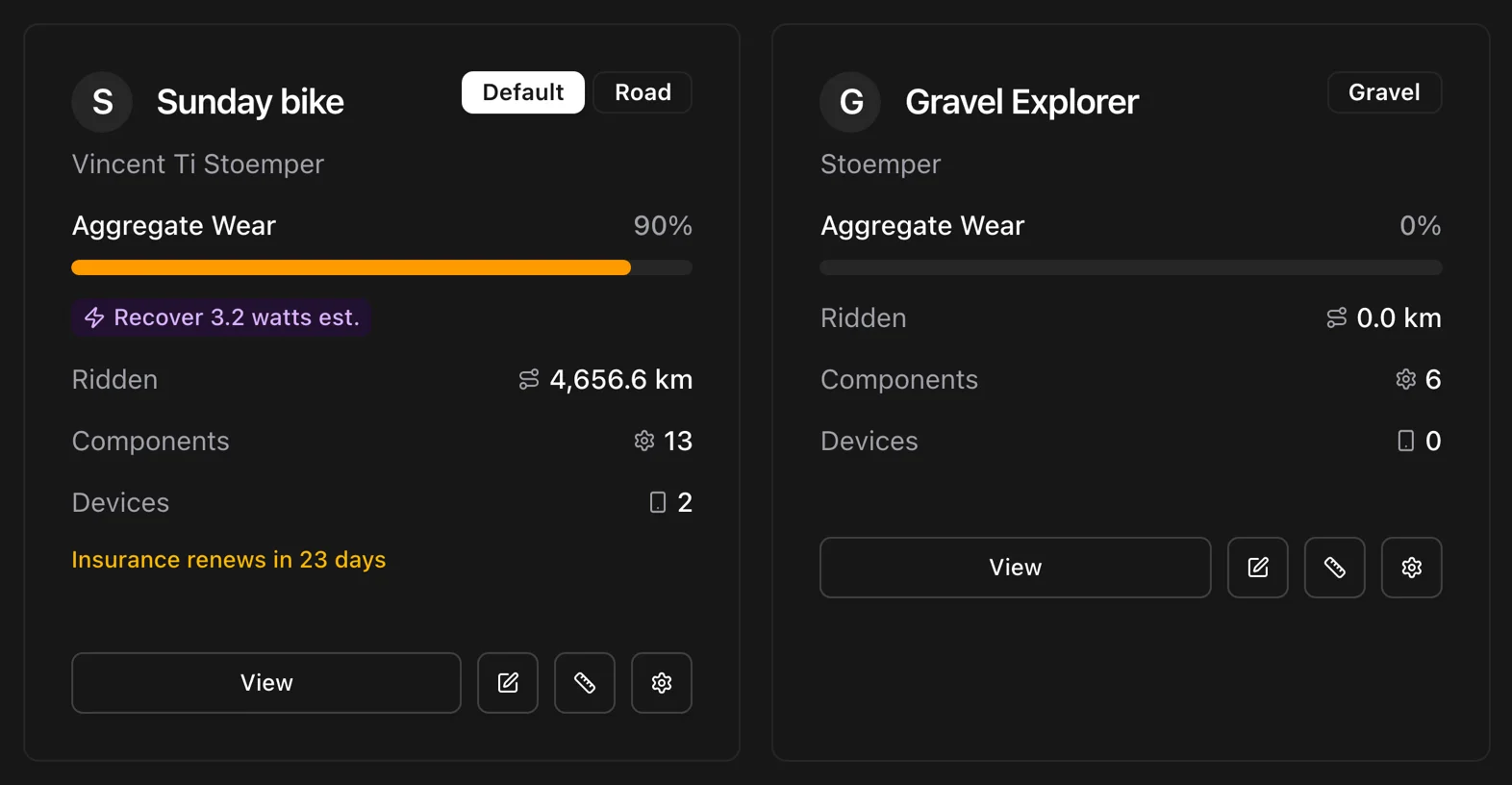
A bike in Componentry has a name, a photo, a colour, and a default flag. The stable view shows each one's wear at a glance, and the ones you have retired stay on record without cluttering the list.
Names, photos, colours
Call it what you call it. Add a photo, pick a colour, and the same bike looks the same in the app, on the web, and in the widget.
Active and retired
Filter the stable by Active or Retired. A retired bike records its date and hands its default status back.
On your home screen
The iOS widget follows your default bike: aggregate wear, counts, and a low-battery chip without opening the app.
Good to know. Bikes imported from Strava keep their Strava names and can be re-imported if removed. Retired bikes keep their history and can be reactivated in one tap.
Setups that know which wheels are on
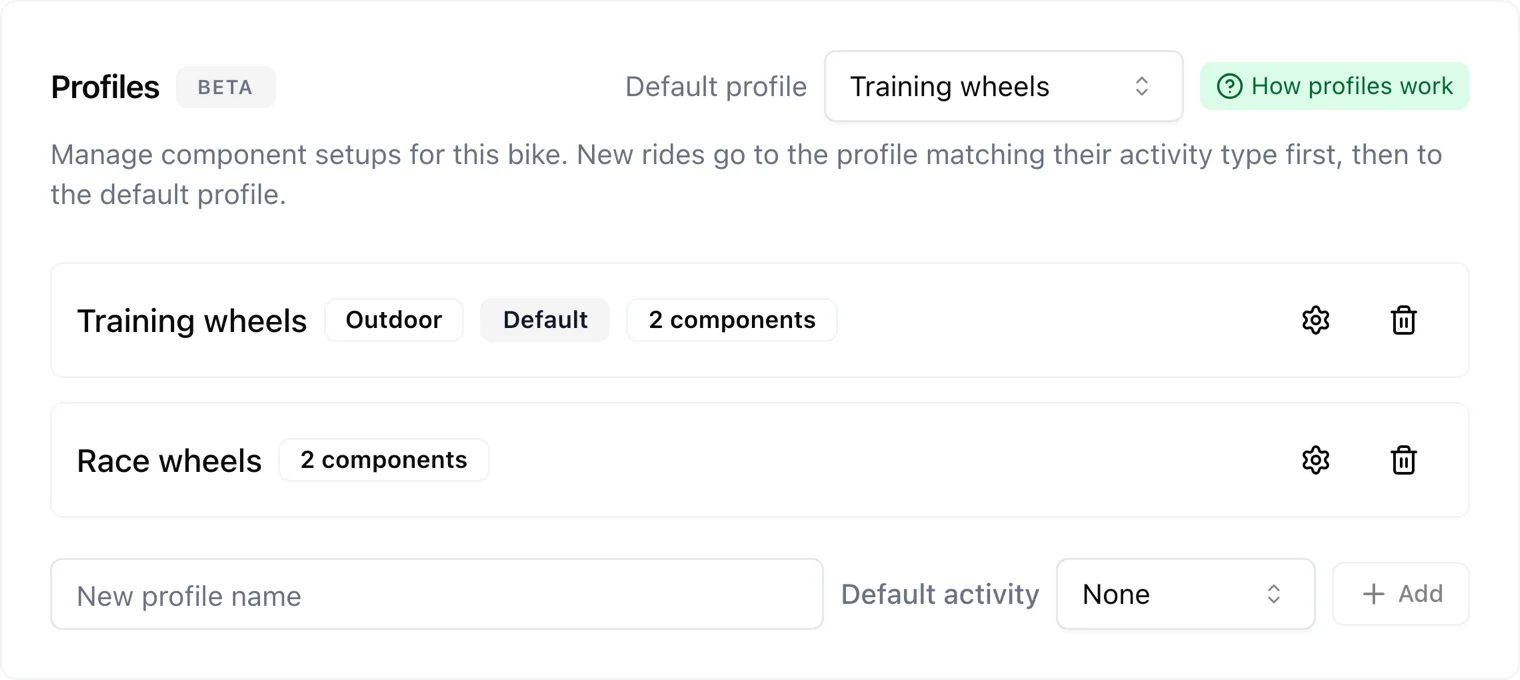
A bike is rarely one configuration. Profiles give each setup its own components, and a sensor pinned to a profile tells Componentry which one you rode without being asked.
Race wheels, training wheels
Two wheelsets, two profiles, two power meters. The ride lands on the setup it was ridden on.
Indoor and outdoor
Give the trainer its own profile and turbo sessions wear the trainer tyre, not the road one.
A default for the rest
When nothing else matches, the bike's default profile takes the ride. Unmatched indoor rides go to the bike with an indoor profile, and other unmatched rides go to your default bike.
Good to know. One indoor and one outdoor profile per bike for activity-type matching. Any number of profiles can be pinned to sensors. The bike page explains which profile the next ride will land on.
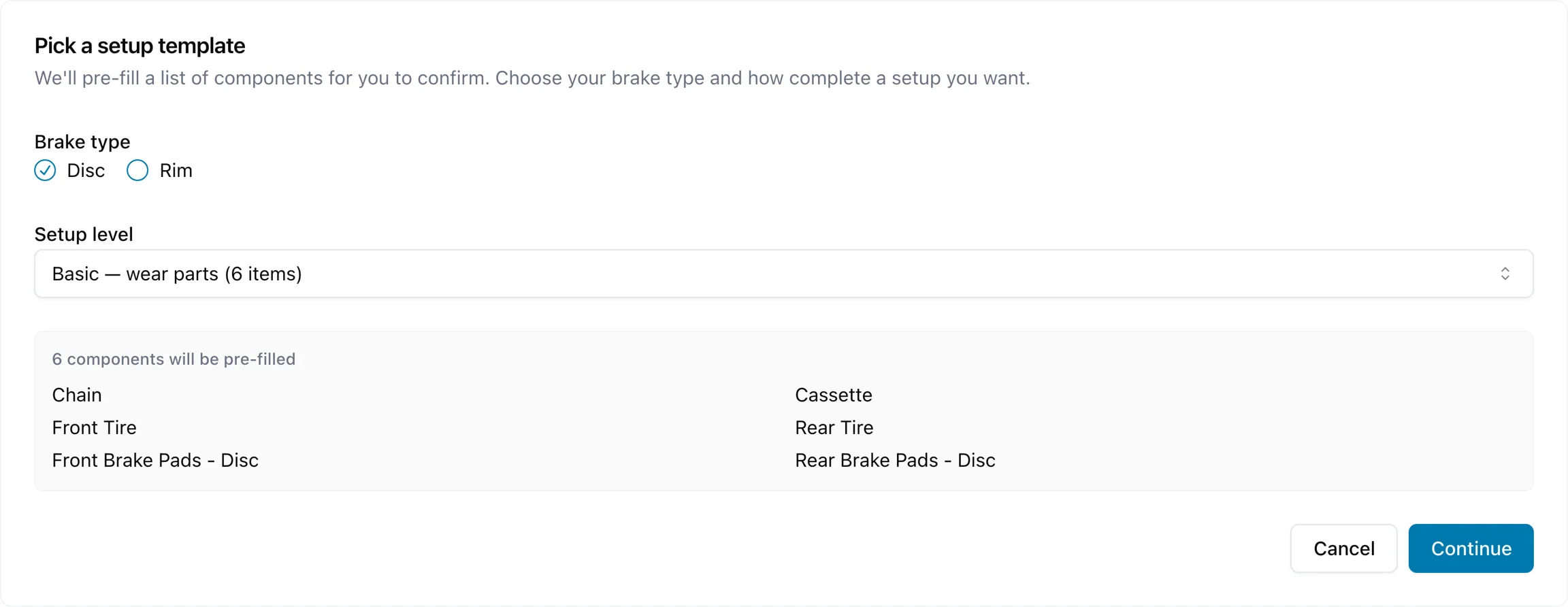
Set up a bike in one pass
Pick the brake type and a template, Basic, Complete, or Detailed, and the components are created with the manufacturer and install date filled in once for all of them. Wheels, tyres, pads, and rotors split front and rear.
Three templates
Basic for the wear items, Complete for a full build, Detailed when you want every bearing.
Bulk manufacturer and date
Set the brand and the install date once and apply them to every component in the list.
Bar tape to bottom bracket
Component types include bar tape, bottom bracket, and derailleur cages, each with a default life and prediction coverage.
Good to know. The wizard skips components already on the bike, and the standard reminders are created with the parts. A setup checklist on the dashboard tracks the first five steps across devices.
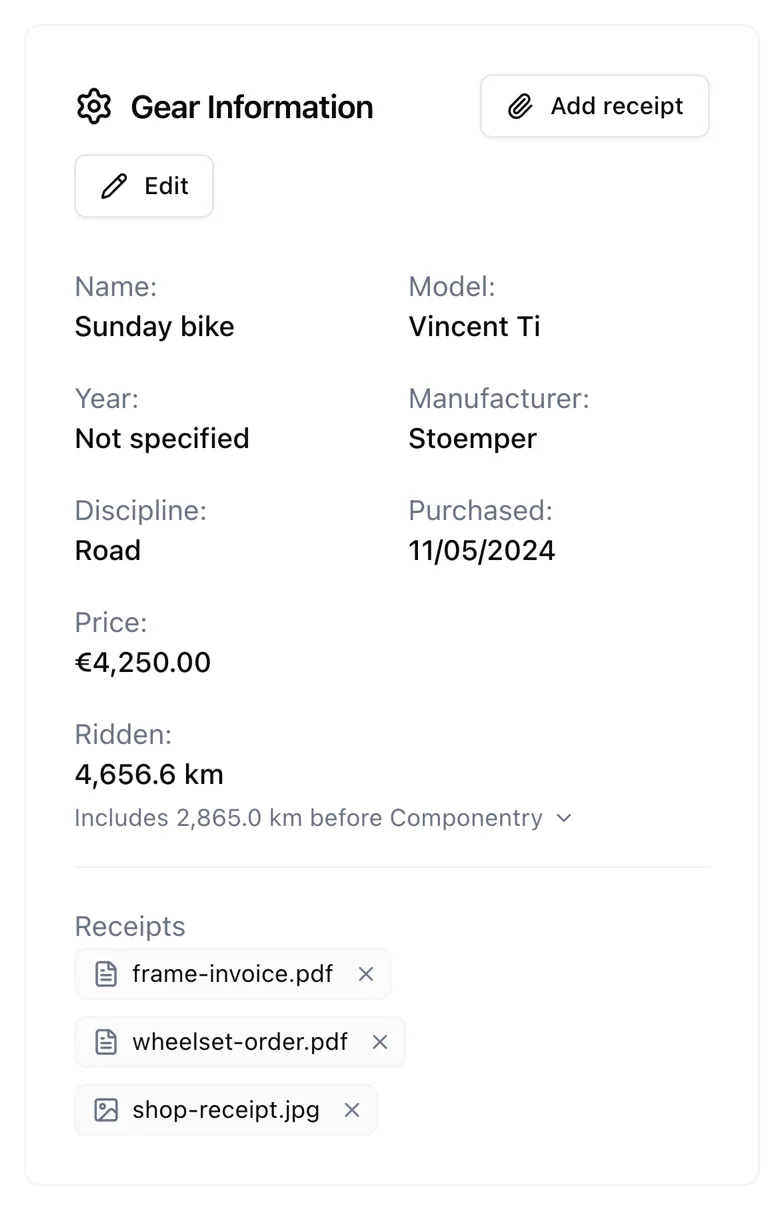
What it cost, and the proof
Record the purchase date, price, and currency on the bike and attach the receipts. When a warranty claim, a resale, or an insurer needs the paperwork, it is on the bike.
Date, price, currency
Three fields, kept with the bike for as long as you own it.
Receipts on the bike
The shop receipt, the frame invoice, the wheel order. Attach them here rather than hunting through email.
Same on the phone
Photograph a receipt in the app; it is on the bike record on the web the moment it uploads.
Good to know. Up to 10 receipt files per bike, PDF or photo, 5 MB each. Receipts are private and are deleted with the bike.
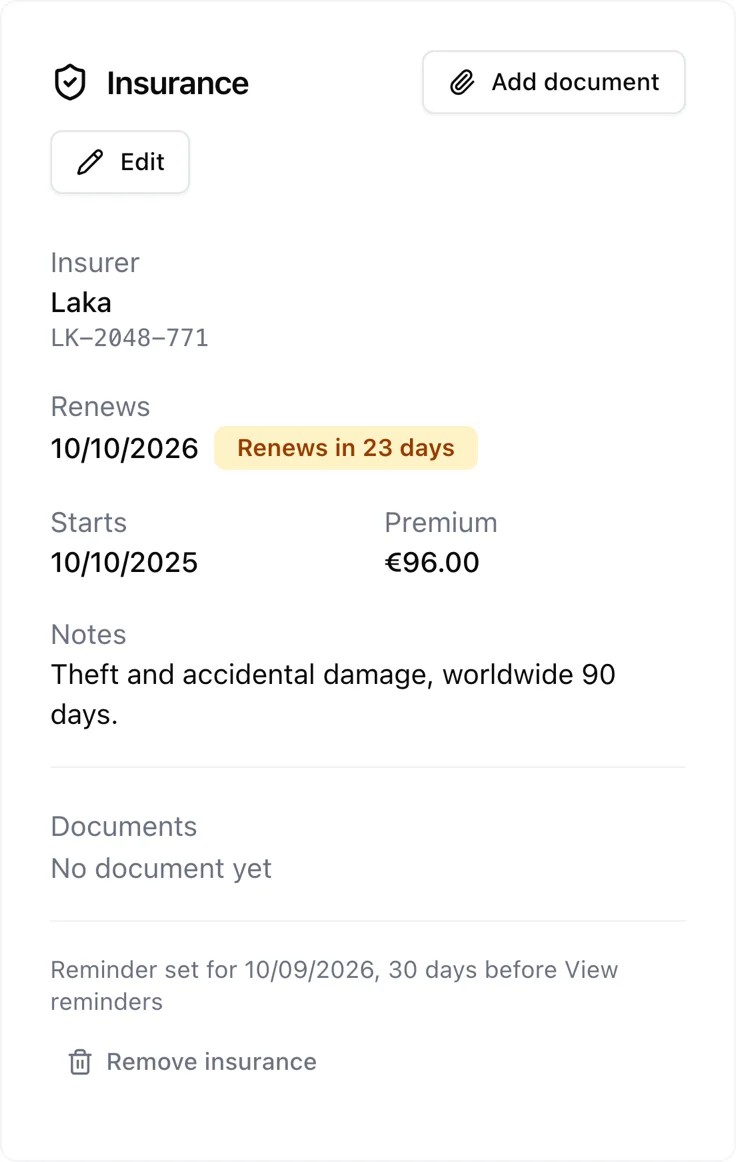
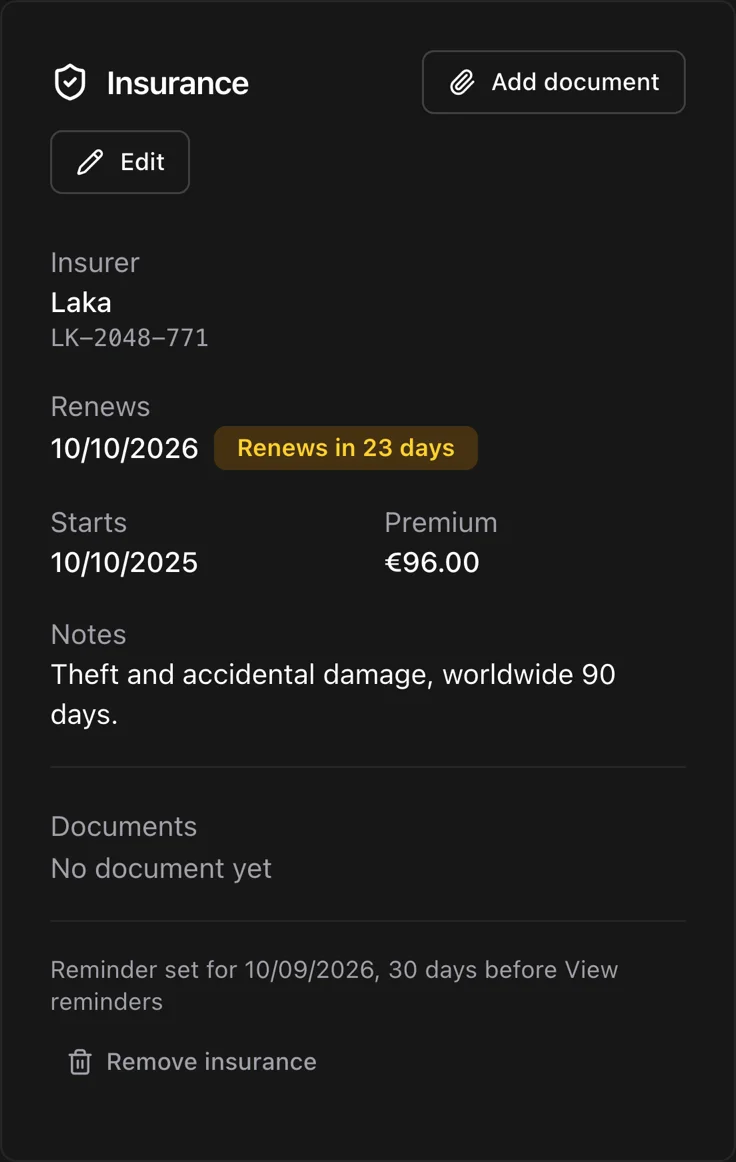
Insurance details that remind you
Insurer, policy number, start and renewal dates, premium, notes, and the policy documents themselves. Componentry watches the renewal date and warns you before it lapses.
The whole policy in one card
Everything an insurer asks for, and the documents to prove it.
Amber, then red
The card turns amber inside your warning window and red once the policy has lapsed. Nothing to remember.
A reminder, created for you
Adding a policy creates its annual renewal reminder at 09:00 in your timezone.
Good to know. Choose a warning of 7, 14, 30, or 60 days. The annual reminder is created for you. The bike list only mentions insurance within 60 days of renewal or once it has lapsed.
How far it has really gone
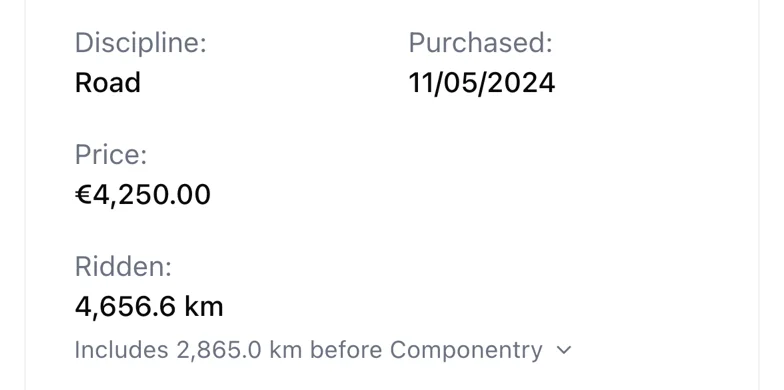
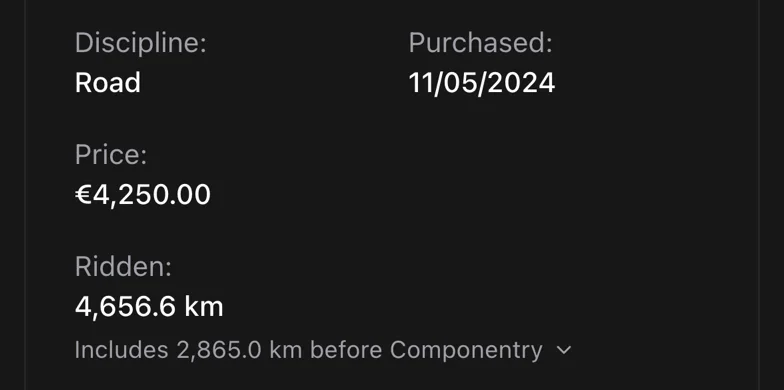
A bike's distance is not just the rides Componentry has seen. Ridden adds the distance before tracking began, taken from Strava's odometer at import or entered by you, and shows the arithmetic.
Baseline plus rides
The pre-tracking distance and every ride since, added up in front of you.
One odometer for reminders
Bike-level distance reminders count from this figure, so a bike with history does not start at zero.
Editable, and honest about it
Correct the baseline if you know better. The override is shown, not hidden.
Good to know. For a Strava-imported bike the baseline is Strava's total at import minus the rides Componentry then imported. You can override it, and the calculation stays visible.
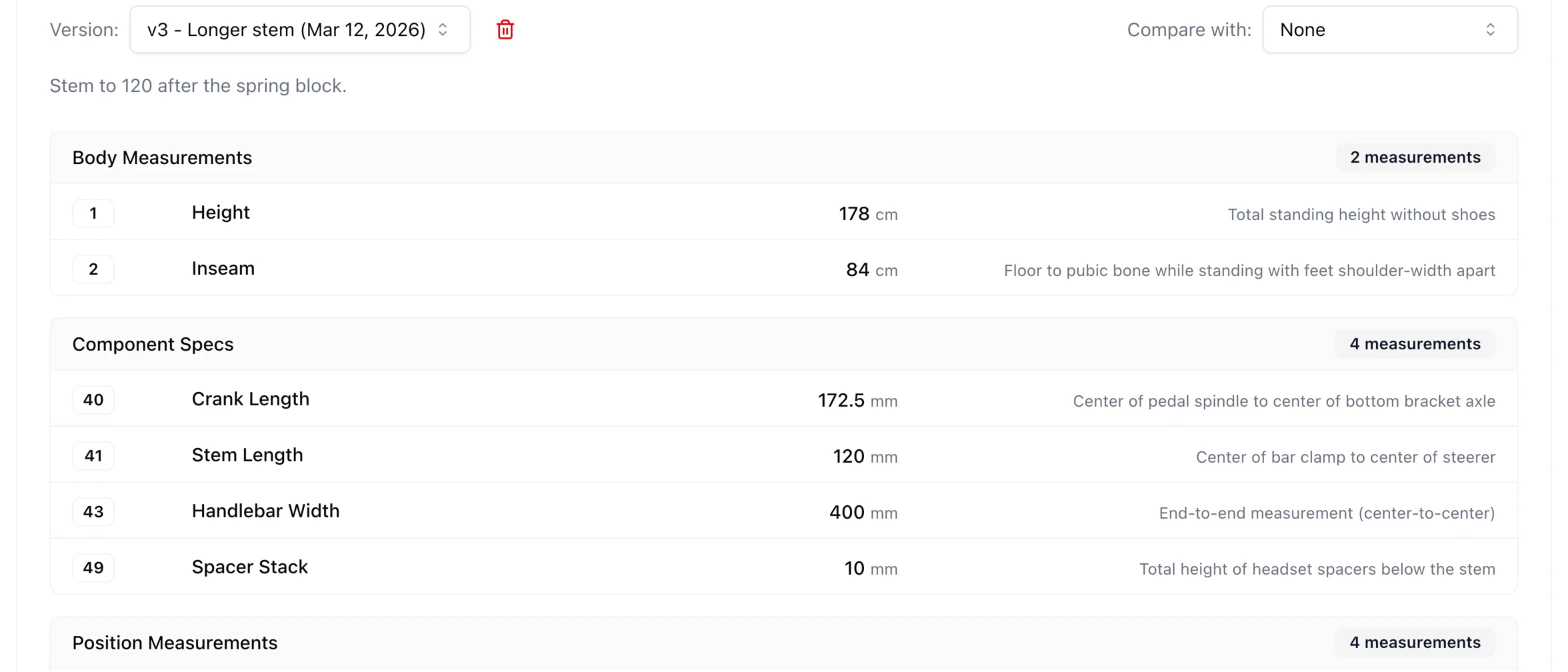
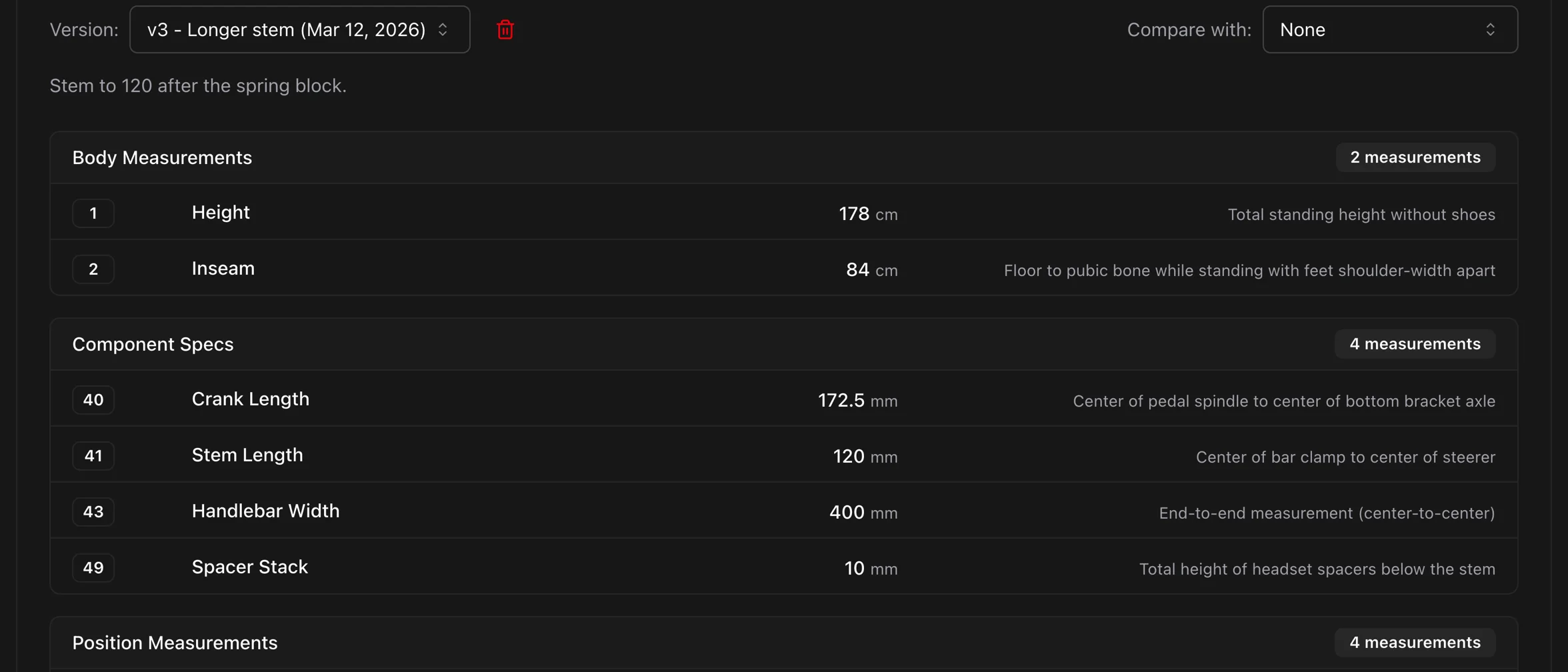
Fit and pressure, saved with the bike
A professional fit is expensive to lose. Store 35+ measurements across saddle, handlebar, stem, cockpit, cleat, and frame, version them, and compare setups side by side. Tyre pressures live on the bike too, front and rear.
Versioned fit
Save a fit, change the saddle height, save again. Both versions stay and can be compared.
Compare across bikes
Line up the road bike and the gravel bike and see where the numbers differ.
Pressures front and rear
Record what you run and see it on the bike card before the next ride.
Good to know. Fit measurements are versioned, so a change is a new version rather than an overwrite. Pressure is stored in psi, kPa, or bar and shown on every bike card.
More of what Componentry does
All features- PredictionsReplacement dates and chain watts modelled from how you ride.
- IntegrationsStrava, Garmin, Wahoo, and Hammerhead. Connect once, track forever.
- Service historyLogs, checks, receipts, and a record for every replaced part.
- RemindersDistance, time, hours ridden, or ride count. Sorted by how urgent they are.
- AI assistantsAsk Claude about your bikes, in your own words.
Questions riders ask
How do I add my bikes and components?
Does Componentry work with multiple bikes?
What are Bike Fit Measurements?
What types of components can I track?
Manage your stable without the spreadsheet
Add your bikes, connect your rides, and every record starts filling itself in.
Start your 2-month free trial. No credit card required.