• Plans
  • Blog
  • FAQs
  • Help
Sign InSign Up
Nov 15, 2026

When to Replace Brake Rotors: Minimum Thickness by Brand and How to Measure

Replace bike brake rotors when the braking track wears to the minimum stamped on the rotor, 1.5 mm for Shimano. Limits by brand, how to measure, and the damage that means replace now.

Cover Image for When to Replace Brake Rotors: Minimum Thickness by Brand and How to Measure

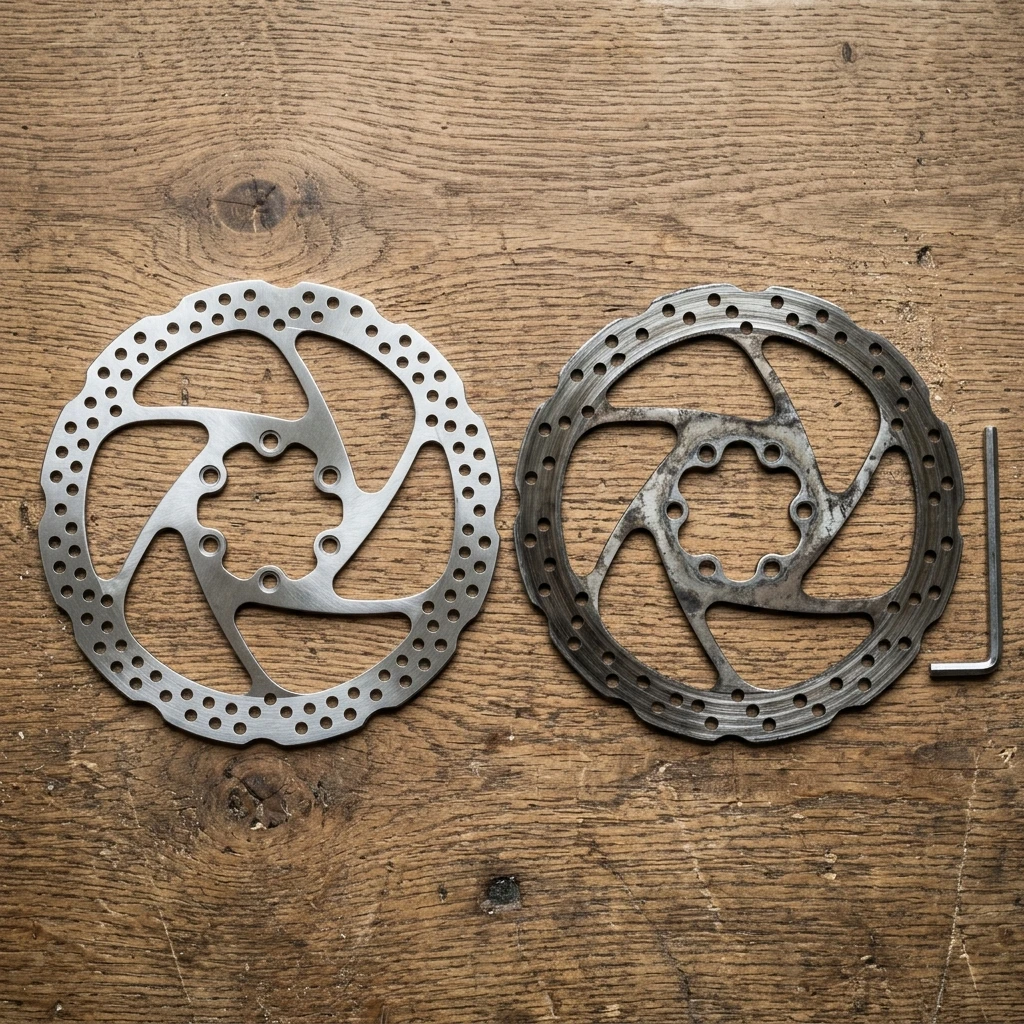
Replace a bike brake rotor when the braking track wears down to the minimum thickness stamped on the rotor itself. For Shimano that is 1.5 mm, and Shimano also says to replace the rotor if the aluminium layer in the middle shows through. A crack or a bent rotor that will not true up means replace it at any thickness. There is no maker-published distance or age limit, so the measurement is the answer.

The rest of this guide gives the limit for each major brand, shows where and how to measure, and lists the damage that needs a new rotor even above the minimum. It covers disc rotors on road, gravel and mountain bikes. Rim brakes have no rotor.

Brake Rotor Minimum Thickness by Brand

The number is usually printed on the rotor. Shimano rotors carry "Min. TH=1.5" on the outer face. Other makers etch "Min.TH" or "wear limit" near the centre. If your rotor has a marking, it overrides every figure below.

There is no shared standard. As Feedback Sports puts it in its mechanic's guide, "there is no universal standard," so the stamp on your own rotor is the reference.

RotorMinimum thicknessSource
Shimano1.5 mmShimano service tips
SRAM 1.85 mm (CenterLine, Paceline)1.55 mmUnior
SRAM 2.0 mm (HS2)1.7 mmUnior
Hayes1.52 mmFeedback Sports
Hope (1.8 mm rotor)1.5 mmUnior
Magura 2.0 mm1.8 mmUnior
Magura MDR-A1.6 mmUnior
Magura MDR-S 2.5 mm2.1 mmUnior

SRAM's own support page tells riders to change a rotor when it is worn by 0.3 mm or when it falls below the minimum stated on the rotor. We could not open an official SRAM page that lists 1.55 mm, so the SRAM rows come from Unior, a tool maker. Treat them as a cross-check and trust the stamp.

"Brake rotors must be changed at the wear of 0,3mm or when the thickness is less than the minimum stated on the rotor." SRAM support: When should I replace my SRAM brake rotor?

Know exactly when to replace every component.

Componentry tracks wear automatically from your Strava, Garmin, or Wahoo rides — and alerts you before damage happens.

Download on the App StoreGet it on Google Play
Try it free

How to Measure a Brake Rotor for Wear

Measure with digital calipers or a micrometer. A pair of calipers costs little, and the job takes about a minute per wheel once the wheel is out.

  1. Remove the wheel so you can reach both sides of the rotor.
  2. Find the braking track, the band the pads sweep. BikeGremlin notes that pads often sit about 1 mm inside the very outer edge.
  3. Keep both caliper jaws entirely inside the braking track. If a jaw rests on the unworn outer rim, you read the original thickness and the rotor looks fine when it is not.
  4. Take readings at three or four points around the rotor, as Unior advises, and repeat each one, as Feedback Sports advises.
  5. Compare the thinnest reading with the minimum on the rotor.

A go/no-go gauge is a faster option. It is a slotted plate that a rotor with life left will not fit into. BikeGremlin points to calipers with adapters, such as the Park Tool DCA-1, for the same job.

Signs a Rotor Needs Replacing Before You Measure

Thickness is the main test. A few things on the rotor can settle the question first. These come from Unior's guide.

  • A visible step at the edge of the braking track. It means real material loss, so confirm with calipers.
  • Deep grooves or scoring. These usually mean a pad wore through to its backing plate or picked up grit. A grooved rotor can wear out new pads even when it is above the minimum.
  • Dark blue or rainbow colouring. That points to overheating. A light brown tint is normal.
  • Any crack or visible deformation. Replace the rotor whatever it measures.
  • On Shimano ICE-TECHNOLOGIES rotors, aluminium showing through. Shimano's service tips say to stop using the brakes and see a dealer.

Shimano also warns that a rotor worn past its limit may break and cause a fall. That is the reason this is a measurement job, not a feel job.

How Long Do Bike Brake Rotors Last?

No maker publishes a distance or age. Two shop guides give a rough guide. Feedback Sports says a rotor typically outlasts about two, sometimes three, sets of pads. Unior gives two to four years of normal riding and adds that time is a poor guide, so you should check thickness at every pad change.

Wear speed depends on the same things that wear pads: wet and gritty rides, long descents, and pad compound. Sintered pads and sand shorten rotor life. For the pad side of the story, see When to Replace Brake Pads, which covers pad thickness limits and wear rates by compound.

Replace Rotors and Pads Together

Fit new pads with a new rotor. Pads that have bedded in to a worn rotor will not seat well on a fresh one. Unior notes that Magura pairs new rotors with new pads, and that SRAM ties rotor changes to pad compound changes. Degrease the new rotor before the pads touch it, and keep grease and oil off it afterwards. Contamination is a common cause of a new brake that squeals or loses bite, which Why Bike Brakes Squeal and When It Means Worn Pads walks through.

If a rotor is only bent and not worn, measure first. A rotor above its minimum can often be trued. One below it cannot.

How Componentry Helps You Check Rotors on Time

Rotors give no warning. Pad wear gets noticed because the brake gets noisy, but a thin rotor works until it does not. The reliable habit is to measure the rotor every time you change pads.

Componentry logs the distance on your brake pads from your Strava, Garmin or Wahoo rides, and reminds you before they are due. That reminder is the cue to pull the wheel, measure the pads, and put calipers on the rotor in the same sitting. Componentry does not measure rotor thickness. The distance tells you it is time to look, and the calipers tell you the result.


Get a brake reminder before the pads wear through. Componentry tracks the distance on every component across every bike, automatically from your rides. Get started free →


Further Reading

Componentry Resources:

  • When to Replace Brake Pads: pad thickness limits, wear rates and the full disc brake check
  • How Often to Bleed Bike Brakes: the fluid side of disc brake service
  • Why Bike Brakes Squeal and When It Means Worn Pads: contamination and glazing on pads and rotors

Technical Reference:

  • Shimano: Service tips: the 1.5 mm limit and the aluminium warning
  • SRAM support: When should I replace my SRAM brake rotor?: the 0.3 mm wear and stamped minimum rule
  • Feedback Sports: Disc brake rotor wear: measuring method and minimums by maker, dated 2019-08-26
  • Unior: When to replace disc brake rotors: the thickness chart and wear signs
  • BikeGremlin: When to replace bicycle brake discs: where to measure, updated 2026-02-03

Componentry

Stop guessing. Start tracking.

Connect Strava, Garmin, or Wahoo once — Componentry automatically tracks wear on every component across all your bikes. Know exactly when to replace your chain before it damages your cassette.

Per-component wear tracking
Replacement alerts before damage
Download on the App StoreGet it on Google Play
Start tracking for free

Free to start. No credit card required.

Know your bike, down to the individual component. Unlock more from your bike to keep it running at peak performance.

© Copyright 2026 Componentry. All Rights Reserved.
Download on the App StoreGet it on Google Play
About
  • Features
  • Predictions
  • Integrations
  • Service history
  • Reminders
  • Bikes
  • AI assistants
  • Plans
  • FAQs
  • Blog
  • Contact
Product
  • Help
  • Changelog
Resources
  • Tire pressure calculator
Compare
  • All comparisons
  • vs ProBikeGarage
  • vs Strava
  • vs Geer
  • vs WatchMy.Bike
  • vs Velo Buddy
  • vs MainTrack
  • vs Bikerly
Legal
  • Terms of Service
  • Acceptable Use Policy
  • Privacy Policy
  • Cookie Policy
Connect
  • @componentry.app
  • @componentry
  • @componentry
  • r/componentry
  • @componentry.app