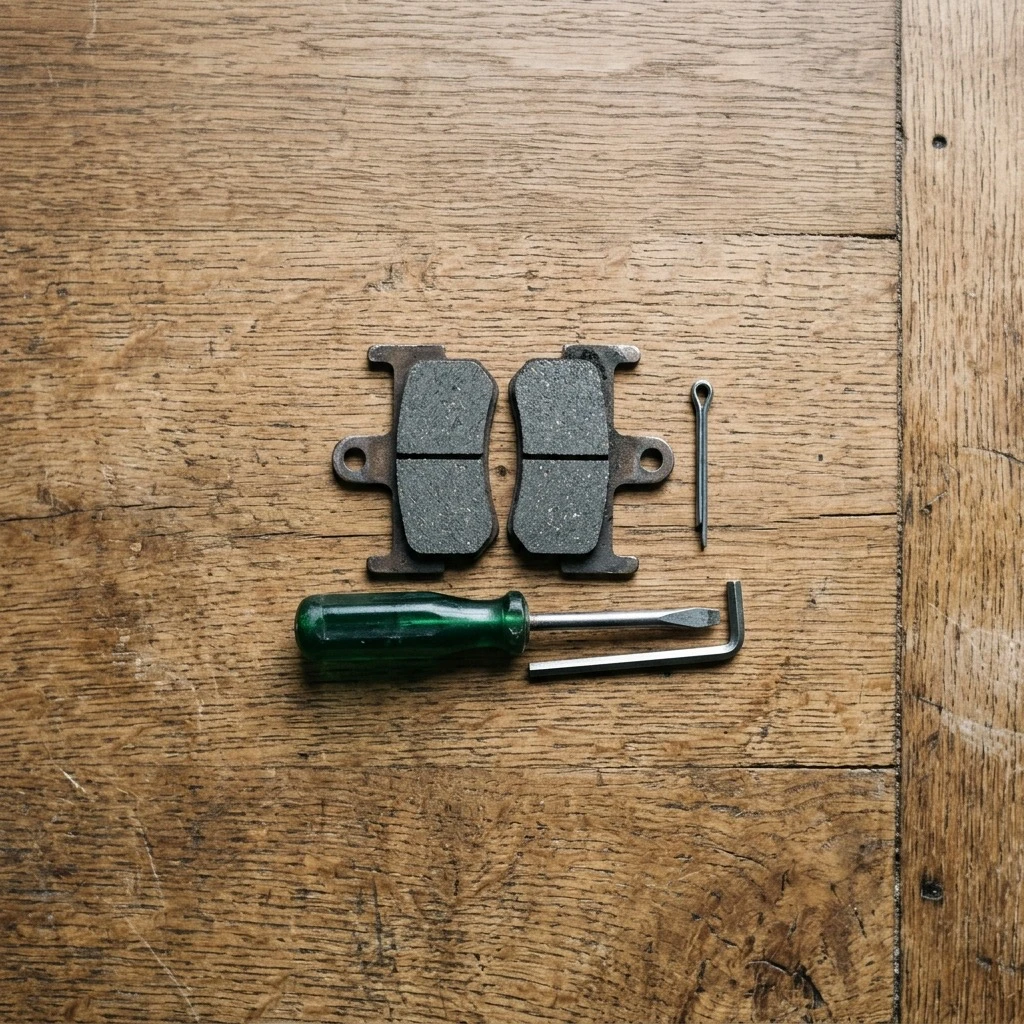
Matching the Right Pads to Your Caliper
Getting the right pads is the step most likely to go wrong before you pick up a tool. Park Tool says finding the correct replacement pads for your system can be difficult, and gives three routes:
- Bring the bike or the pad to a good bike shop and ask for help.
- Look up your specific caliper model on the manufacturer's website to find the correct pads.
- Look for a replacement pad that looks identical in shape to your old pads. Park Tool says that if it is the same shape, it will likely work on your brake.
Park Tool describes three pad materials, metallic, organic and semi-metallic, and says certain rotor and pad material combinations can have compatibility issues, so check for warnings on the components or packaging.
Changing material is where the makers differ. SRAM says that if you switch pad compounds, for example from sintered to organic, you should use new rotors, because the old rotor would pick up a new layer of pad material that can create noise and reduce performance. BikeRadar recommends replacing the rotor when you change pad material too, but says that if you clean the rotor thoroughly you are unlikely to have any issues. If you keep the same compound, this does not apply.
How to Change Brake Pads on a Bike: Step by Step
These steps follow Park Tool's disc brake pad removal and installation article, with BikeRadar and SRAM added where they say something extra. The manual for your brake outranks any general guide.
1. Remove the wheel
Mount the bike in a repair stand and remove the wheel. Park Tool says to pay attention to the orientation of parts, because the process is reversed for installation.
2. Remove the pin clip and the retaining pin
Many calipers hold the pads with a retaining pin. Park Tool shows cotter pin, threaded pin, and pin with pin clip styles. If your pin has a clip, remove the clip first. On a cotter pin, bend the ends straight to remove it. BikeRadar adds that most pads use an e-clip as a failsafe if the pin loosens, and that some older Shimano brakes use a split pin that needs its ends straightened first.
3. Slide the old pads out
Depending on the caliper, pads come out through the top or the bottom. Park Tool points out several designs to watch for:
- Springs that come out with the pads
- Magnets that hold the pads against the pistons
- Clipped pads, which can take some force to remove
- Designs where the outer pad must come out first, which makes the inner pad come out more easily
4. Check for contamination and clean up
Look at the old pads and the rotor. Park Tool says contaminants such as brake fluid, oil or grease can ruin pads and are not always easy to see. Contaminated pads may squeal, need extra effort at the lever, or leave a dark patch on the rotor and pads that smears when rubbed with a finger. Park Tool says to always look for the source, such as overspray from aerosol lubricants or a leak in the hydraulic system.
BikeRadar says to clean the caliper with disc brake cleaner or isopropyl alcohol before the new pads go in, and to clean the rotor thoroughly, because oil or grease on it transfers to the new pads. It also says never to touch a pad with bare skin, because even skin oils can contaminate it.
5. Push the pistons back
New pads are thicker than worn ones, so the pistons must be fully retracted to make room. For hydraulic calipers, Park Tool says to press the pistons back into the caliper body with a purpose-built tool or a flat non-marring tool. For mechanical calipers, turn the pad adjusters counter-clockwise until they stop.
BikeRadar suggests pressing the pistons back before you pull the old pads, so you cannot damage the new ones. Park Tool does it after the old pads are out. For flat mount Shimano hydraulic brakes, Park Tool says to apply even pressure so you do not damage the ceramic pistons.
Park Tool has one warning that applies to the whole job:
"If you accidentally squeeze your brake lever at any point in the process with the wheel removed, the pistons will come back out and you will need to repeat pressing them into the caliper." Park Tool: Disc Brake Pad Removal & Installation
6. Fit the new pads
Installation is the removal steps in reverse. If one pad had to come out before the other, put them back in the opposite order. Some springs have a correct and incorrect orientation, and Park Tool says that information should be in the pad packaging. BikeRadar notes that some pads are left and right specific.
Then refit the retaining pin and any pin clip. On a cotter pin system, Park Tool says to give the cotter pin a good bend so it cannot slide out. On a threaded pin, be aware of any torque specification from the manufacturer. Park Tool says in general the pin should be snugged to the caliper body. We give no torque figure here, because it varies by brake: follow the manual for yours. Park Tool also says it is normal for correctly installed pads to have a bit of wiggle.
7. Refit the wheel and check lever feel
Reinstall the wheel and make sure it is properly seated. What happens next depends on the brake type.
- Mechanical disc brakes: after new pads, you need to align the caliper.
- Hydraulic disc brakes: Park Tool says to pump the lever to move the pistons and pads back to the working position, until you feel the pads firmly contacting the rotor.
Spin the wheel and inspect the pads for alignment. If there is no rubbing, Park Tool says you are done. If there is rubbing, it is likely an alignment issue, and Park Tool has a separate hydraulic disc brake alignment article.
If the lever still pulls further than you would like, SRAM's maintenance guide says the caliper pistons may need a little extra movement to get going properly, and warns not to lubricate them. If the lever stays spongy, read our guide to hydraulic brake fluid and consider a shop visit.
Bedding In New Disc Brake Pads
New pads are not finished when the wheel goes back on. SRAM describes bed-in as controlled slowing that gradually heats the braking surface while evenly transferring pad material onto the rotor, for consistent performance and minimal noise. SRAM says it takes about ten minutes and should be done before the first ride, at home or in a trailhead parking lot.
SRAM's published steps for its own brakes are:
- Stay seated on the bike for the whole procedure, and never lock the wheels.
- Accelerate to a moderate speed, then firmly apply the brakes until you are at walking speed. Repeat approximately twenty times.
- Accelerate to a faster speed, then very firmly apply the brakes until you are at walking speed. Repeat approximately ten times.
- Let the brakes cool before riding any further.
SRAM also says the caliper may need re-centering after bed-in, and that bed-in must be repeated every time you install new pads and rotors. Skipping it reduces power and raises the chance of noise, per SRAM.
That procedure is SRAM's, for SRAM brakes. We did not find a Shimano bed-in procedure we could open and verify, so for a Shimano brake, or for aftermarket pads, follow the instructions that come with the pads or the brake manual.
What Can Go Wrong When Changing Disc Brake Pads
Contamination. Oil on a pad or rotor is the classic error. Park Tool names aerosol lubricant overspray as a common source, and BikeRadar names skin oil and an unclean rotor. SRAM says that if noise is persistent, the pads may be contaminated, or poor bed-in may have left inconsistent layers of pad material on the rotor. SRAM's solution is to replace the pads and rotors and carefully follow the bed-in process before riding again. Keep chain lube and degreaser well away from the brakes, as our guide to cleaning a bike chain explains.
Pulling the lever with the wheel out. This pushes the pistons out, and you must press them back in before the pads or wheel will fit. BikeRadar goes further and says squeezing the lever once the rotor is out can force the pistons beyond their limits and compromise the hydraulic system, forcing a bleed. SRAM says pad spacers, small plastic pieces that ship with most new bikes and its mountain bike brakes, can keep pads in place while the wheels are off. If your brake has a spacer, use it.
Noise after the job. SRAM's first step for noise on previously quiet brakes is to clean the rotors with isopropyl alcohol. Our guide to why bike brakes squeal covers the other causes.
When to Take It to a Shop
Get a mechanic in these cases. This is our general advice, not a figure from any maker:
- The lever feels spongy or pulls to the bar after the pads are seated and the pistons are moving.
- You pulled the lever with the wheel out and the pistons came out further than expected.
- You cannot identify the right pads for your caliper. Park Tool itself suggests asking a good bike shop.
SRAM's maintenance guide says that if troubleshooting does not get the brakes feeling like new, it is probably time for service.
Frequently Asked Questions
How do you change disc brake pads? Remove the wheel, remove the pin clip and retaining pin, slide the old pads out, push the pistons back, fit the new pads, refit the pin and wheel, pump the lever until the pads contact the rotor, and bed the pads in. Park Tool says installation is the removal in reverse.
How do you replace disc brake pads without special tools? Park Tool says that without a purpose-built piston tool, a flat non-marring tool such as a tire lever or cone wrench works, and BikeRadar suggests a plastic tyre lever.
Do you need to replace the rotor when you change pads? Not always. SRAM says to use new rotors if you switch compounds, for example from sintered to organic. BikeRadar says rotor replacement is recommended when you change pad material, but that you are unlikely to have issues if the rotor is cleaned thoroughly.
Do you need to bed in new disc brake pads? Yes. SRAM says to bed in before the first ride, and again whenever you install new pads and rotors. Its procedure takes about ten minutes.
Do you need to bleed the brakes after changing pads? Park Tool's pad replacement procedure does not include a bleed. BikeRadar warns that squeezing the lever with the rotor out can force the pistons too far and require one.
How Componentry Helps You Track Brake Pad Changes
In Componentry you can log a service on the brake pads when you fit them, so the date and the bike are on record. Componentry syncs your rides from Strava, Garmin and Wahoo and adds the distance to the components on the bike you rode, so each set of pads has its own running total.
Add a reminder to the pads by distance or by time, and Componentry tells you when to check them. Each component keeps its own history, so you can see how long the last set lasted before you buy the next.
For the rest of the routine, see the bike tune-up checklist, the quick maintenance check, and basic bike maintenance at home.
Recommended Resources & Further Reading
Technical Data:
Componentry Reading: