Completing Reminders
Tick off a reminder, or turn it into a maintenance check or service log, and see how its next due point is set.
Complete a reminder when you've done the job. It moves back to Scheduled and counts down to its next due point.
Complete a Reminder
- Select Complete on the reminder, either on the Reminders page or in the Reminders card on Home.
- If the reminder belongs to a bike, choose how to record the work:
- Maintenance Check: a quick inspection record. The reminder is completed and linked to the check, and you can add notes and wear readings for the bike's components.
- Full Service Log: a full service record. The reminder is completed and linked to the log, and the log lists the bike's other open reminders so you can tick those off in the same session.
- Just complete: ticks off the reminder without creating a service record.
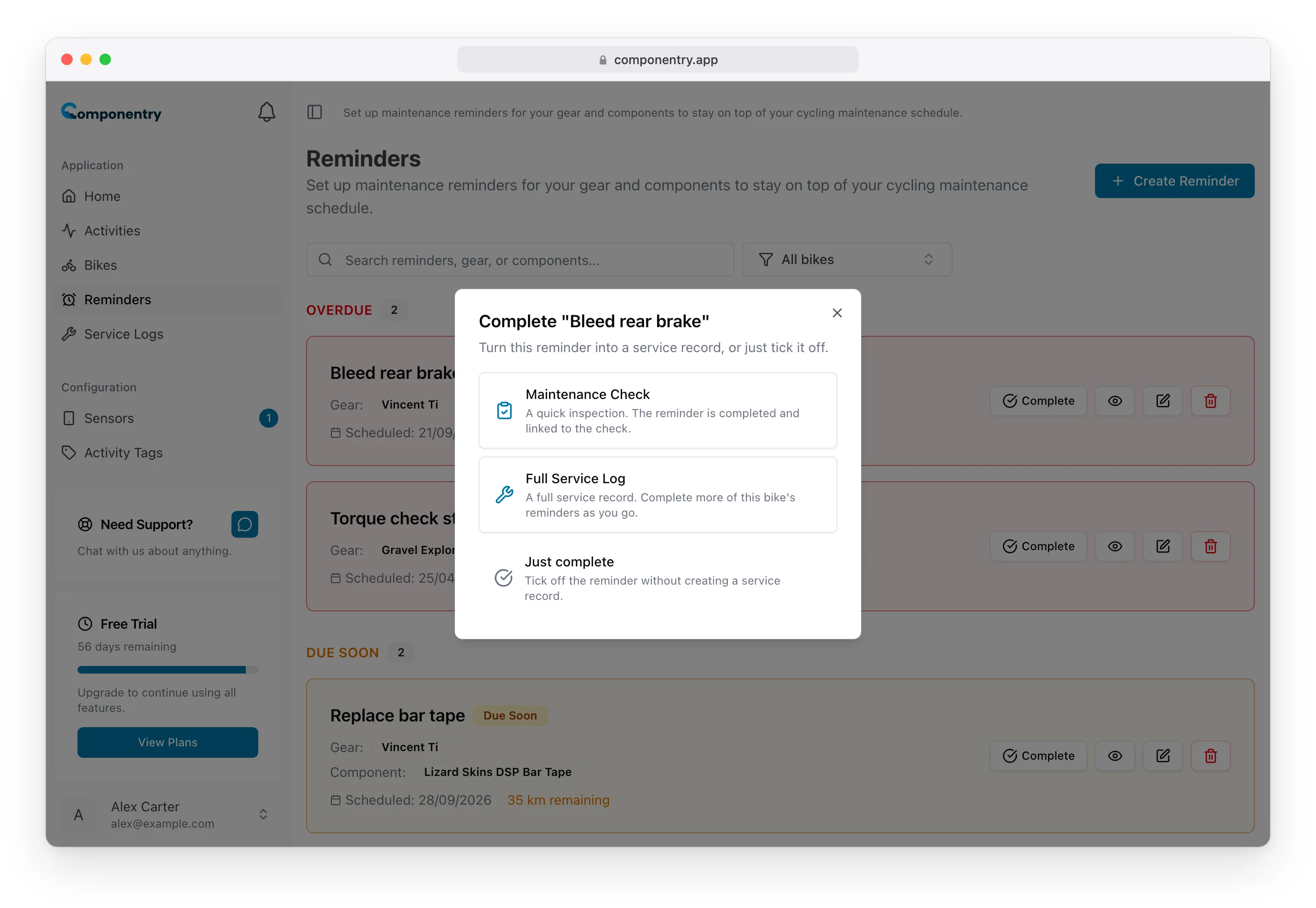
Choosing a check or a service log creates it and takes you straight to it, with the reminder already ticked. Reminders that don't belong to a bike skip the prompt and complete straight away.
Recording the work as a check or service builds a history you can show a mechanic or a buyer. See Maintenance checks and Completing Reminders from Service Logs.
Complete Several at Once
Open a service log or maintenance check for the bike and tick every reminder the work covered in its Reminders section. Each one is completed and recorded against that service, so the log shows exactly which jobs it took care of.
When It Comes Due Next
Completing starts every rule on the reminder again from that moment:
- Time-based: the next one falls a full interval from the day you complete it, at the hour you set. Finish a monthly job five days late and the next one is a month from today, not a month from the missed date.
- Distance-based: the full distance again from where the part or bike is now.
- Activity-based: the ride count goes back to zero.
Undo a Completion
A reminder that's done for this cycle shows Undo on the Reminders page. Select it to put the reminder back in your list as not done. Completing it again counts from the new day; it never skips a cycle.
Lubrication Reminders
Completing a Lubrication reminder on a chain, on its own or through a service log, updates the chain's power-loss estimate straight away.
On Mobile
In the Componentry mobile app, swipe a reminder or tap Mark as Complete. The same Maintenance Check, Full Service Log or Just complete choice appears for reminders on a bike.