Activity Tags
Learn how to organize and categorize your activities using Activity Tags in Componentry.
Activity Tags are a powerful way to organize, categorize, and filter your activities in Componentry. They help you quickly find specific workouts, analyze training patterns, and maintain better organization of your fitness data.
What are Activity Tags?
Activity Tags are labels that you can apply to your activities to group them by various criteria such as training focus, location, equipment used, or any other classification that's meaningful to your fitness routine.
Tag Types
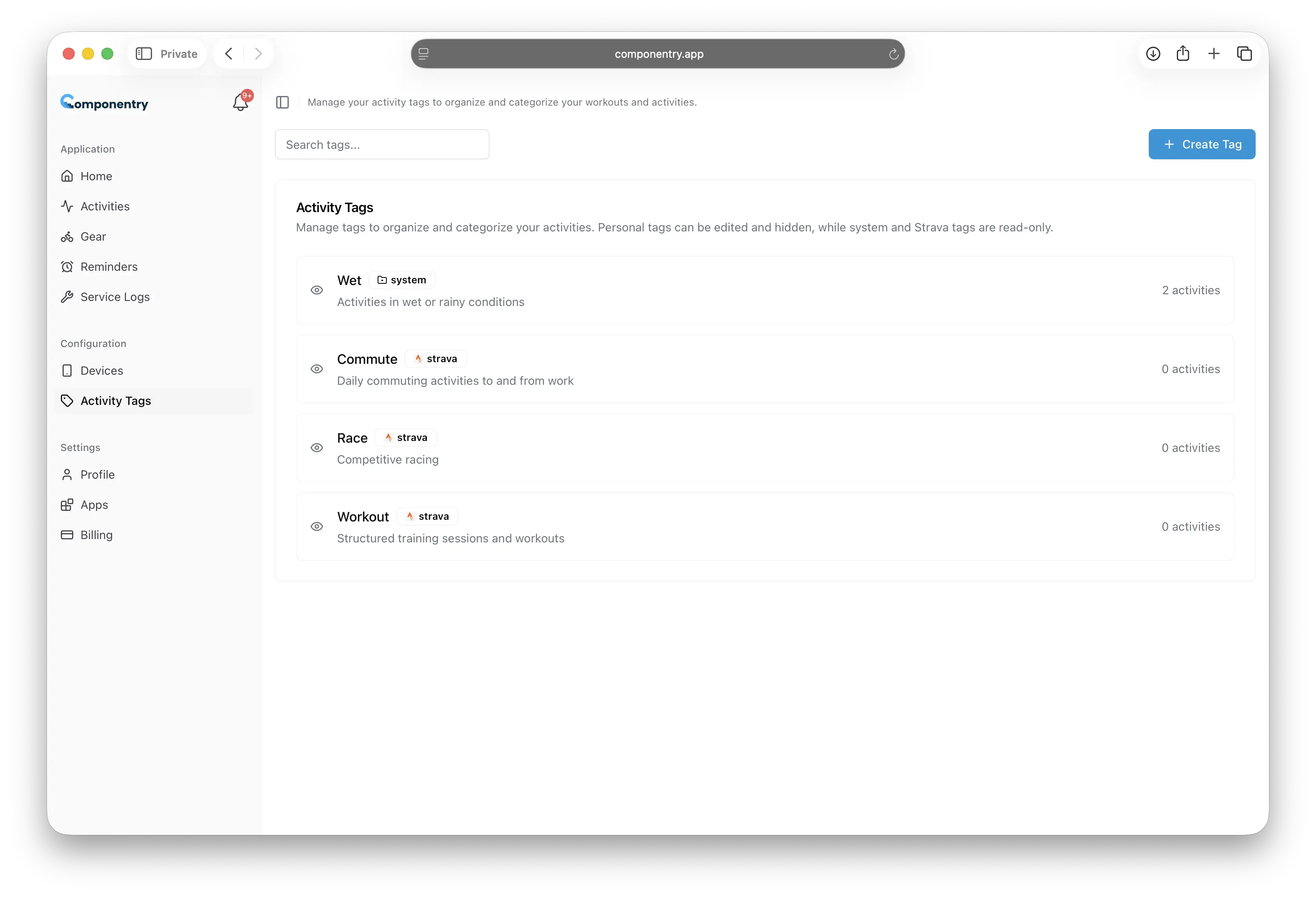
Componentry supports three different types of Activity Tags, each serving a specific purpose:
System Tags
System Tags are automatically created and managed by Componentry. These tags are generated based on activity data and system events. System Tags cannot be edited or deleted by users as they provide essential functionality for the platform.
Note: Activity types (such as "Indoor", "Outdoor") are automatically captured in your activity data and don't need to be recorded as tags. Tags are best used for additional context like conditions, terrain, or training focus that isn't captured in the basic activity information.
Examples of System Tags:
Wet- Can be applied to activities detected in wet conditionsGravel- Can be applied to activities detected on gravel surfacesRoad- Applied to activities detected on paved roadsTrail- Applied to activities detected on trails
Strava Tags
Strava Tags are automatically synchronized from your connected Strava account. When you connect Strava to Componentry, any tags you've applied to activities in Strava will be imported and kept in sync.
Features of Strava Tags:
- Automatically imported from your Strava activities
- Kept in sync with changes made in Strava
- Cannot be edited directly in Componentry (changes must be made in Strava)
- Identified with the Strava logo for easy recognition
Personal Tags
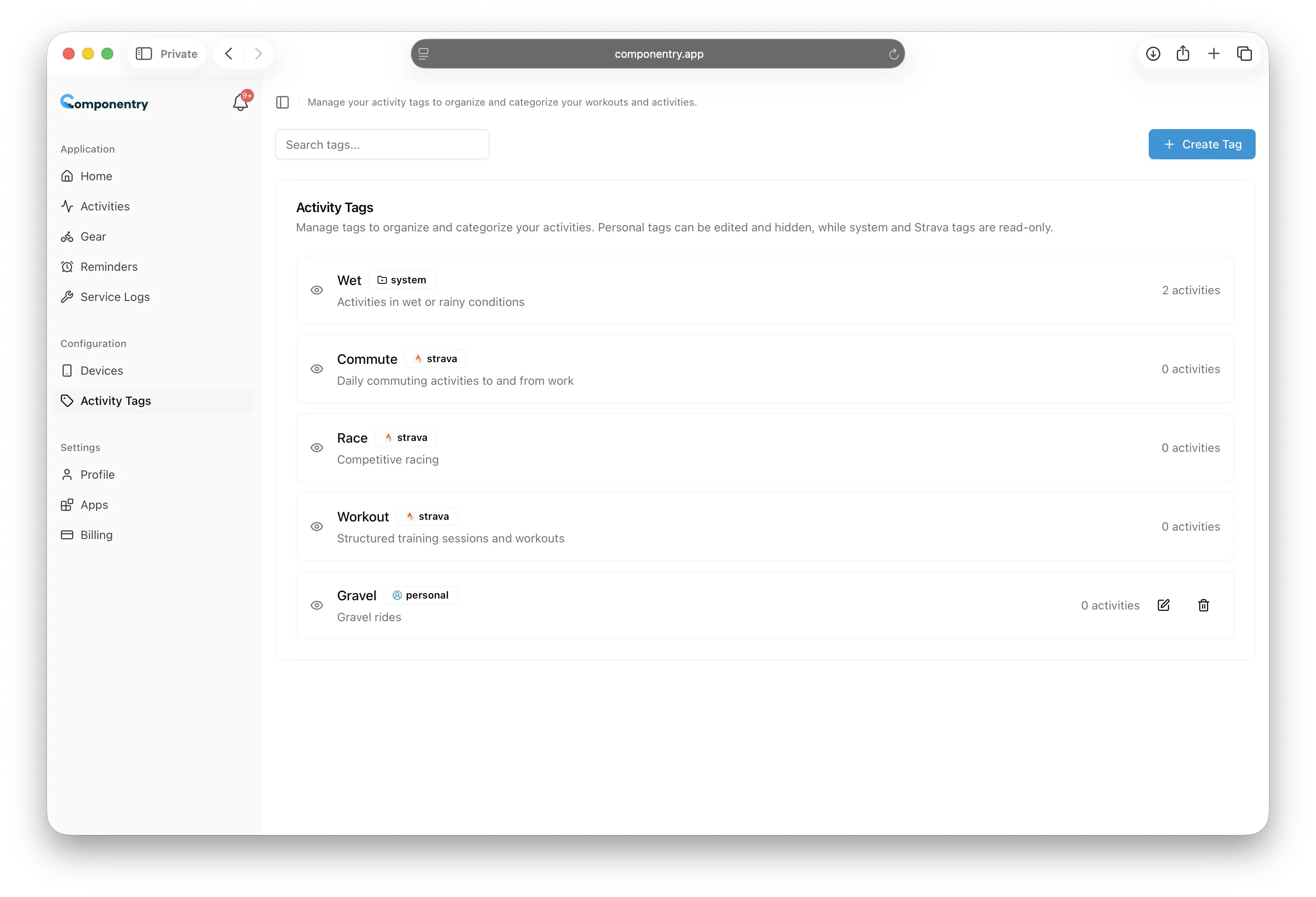
Personal Tags are custom tags that you create and manage yourself. These provide the most flexibility for organizing your activities according to your personal training methodology and preferences.
Examples of Personal Tags:
Base Training- For aerobic base building activitiesTempo- For threshold training sessionsRecovery- For easy recovery workoutsHill Repeats- For specific hill training sessionsMorning Workout- For activities done in the morningGym- For activities performed at the gymKit- For tagging activities based on the equipment or clothing usedNutrition- For tagging activities related to nutrition or fueling strategies
Benefits of Using Activity Tags
Organization
Tags help you organize your activities in a way that makes sense for your training. Instead of scrolling through long lists of activities, you can quickly filter by relevant tags.
Analysis
By consistently tagging your activities, you can analyze patterns in your training. For example, you can see how many recovery runs you've done in a month or track your interval training frequency.
Quick Filtering
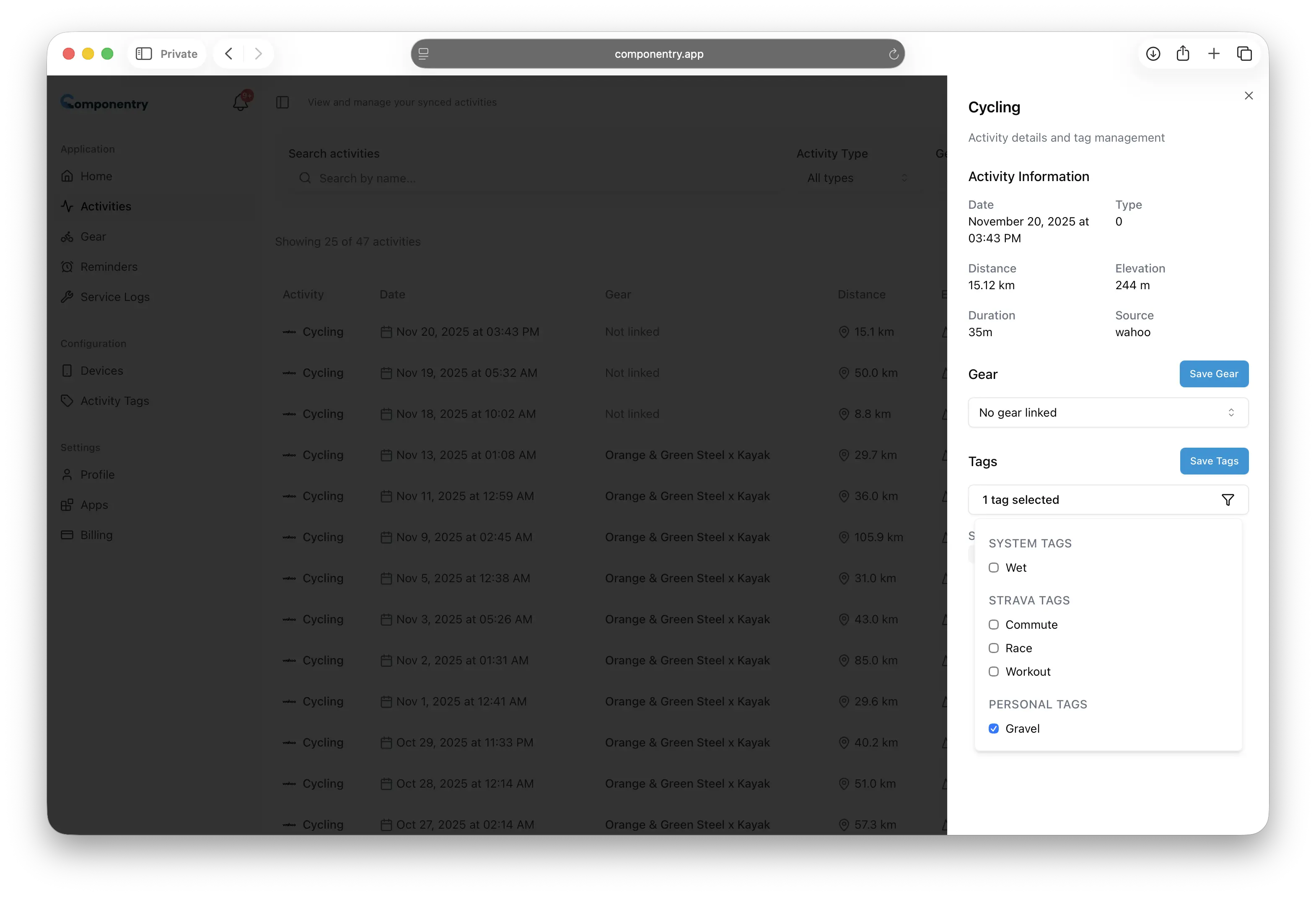
The activity filter system allows you to quickly find specific types of workouts by selecting one or more tags, making it easy to review past sessions or plan future training.
Training Planning
Tags help you maintain balance in your training by making it easy to see what types of workouts you've been doing and what might be missing from your routine.
Getting Started with Activity Tags
To begin using Activity Tags effectively:
- Review existing tags - Check what System and Strava tags are already available
- Create Personal tags - Add custom tags that match your training style
- Apply tags consistently - Develop a habit of tagging activities as you review them
- Use filters - Take advantage of tag filtering to analyze your training
The following sections will guide you through creating, editing, and managing your Activity Tags to get the most out of this organizational system.