Emailing a Service Report
Email a summary of a booked or completed service, with the bike and its components, to your mechanic or yourself.
A service report is an email summary of one full service log. Send it to the workshop when you book the bike in so they know what is fitted, or to yourself as a record of completed work.
Send a report
- Open a full service log whose Status is Booked or Completed. The button is unavailable while a log is New, and maintenance checks do not have it.
- Choose Service Report.
- Enter an Email Address and choose Send Report.
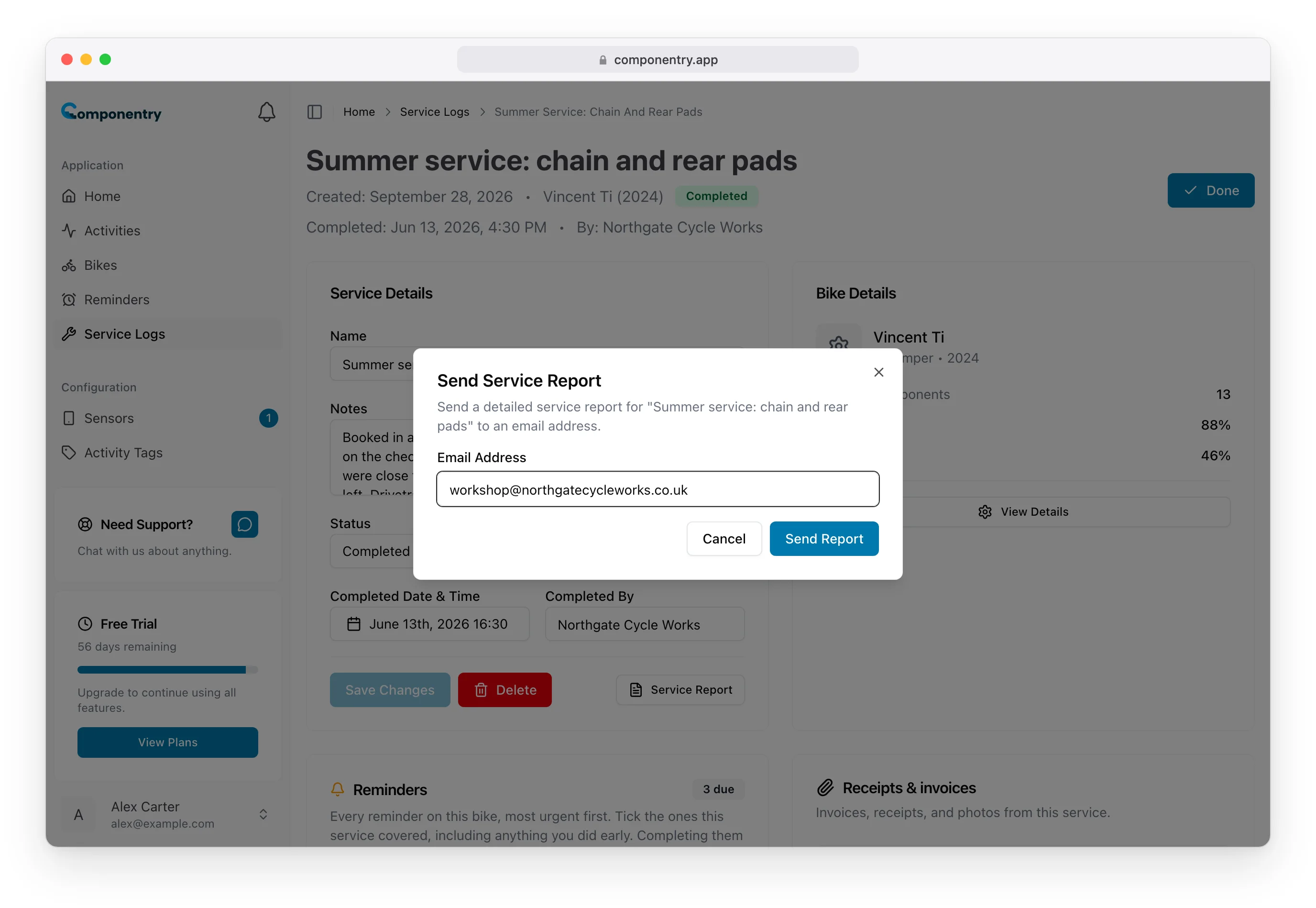
The email is sent from Componentry with a subject naming you and the bike. You can send the same report to as many addresses as you like, one at a time.
What the report contains
- The service: its name, your name, status, the crash flag if set, your notes, and the completion date and Completed By once completed.
- Bike details: name, model, year, manufacturer and discipline.
- Installed components: each part with its type, manufacturer, install date and the distance, time and age it has done.
- Components serviced: the parts retired in this service, with their retirement dates and final condition as a percentage worn (or Broken).
Distances use your distance unit and dates use your timezone.
Component service notes, measurements, completed reminders and attached invoices are not included. Open the service log for those.
The report is an email only; there is no PDF download. Service reports are sent from the web app.