Retiring and Replacing Components
Retire worn components inside a full service log, fit their replacements, and keep each part's reminders when it is replaced.
Taking a part off a bike happens inside a full service log. That way every retirement records the condition the part came off at, why, which service it was, and what replaced it. For the basics of components themselves, see Components.
Retire a component and fit its replacement
- Open a full service log for the bike, or start one (see Creating a Service Log). Maintenance checks cannot retire parts; use Swap to Service Log first.
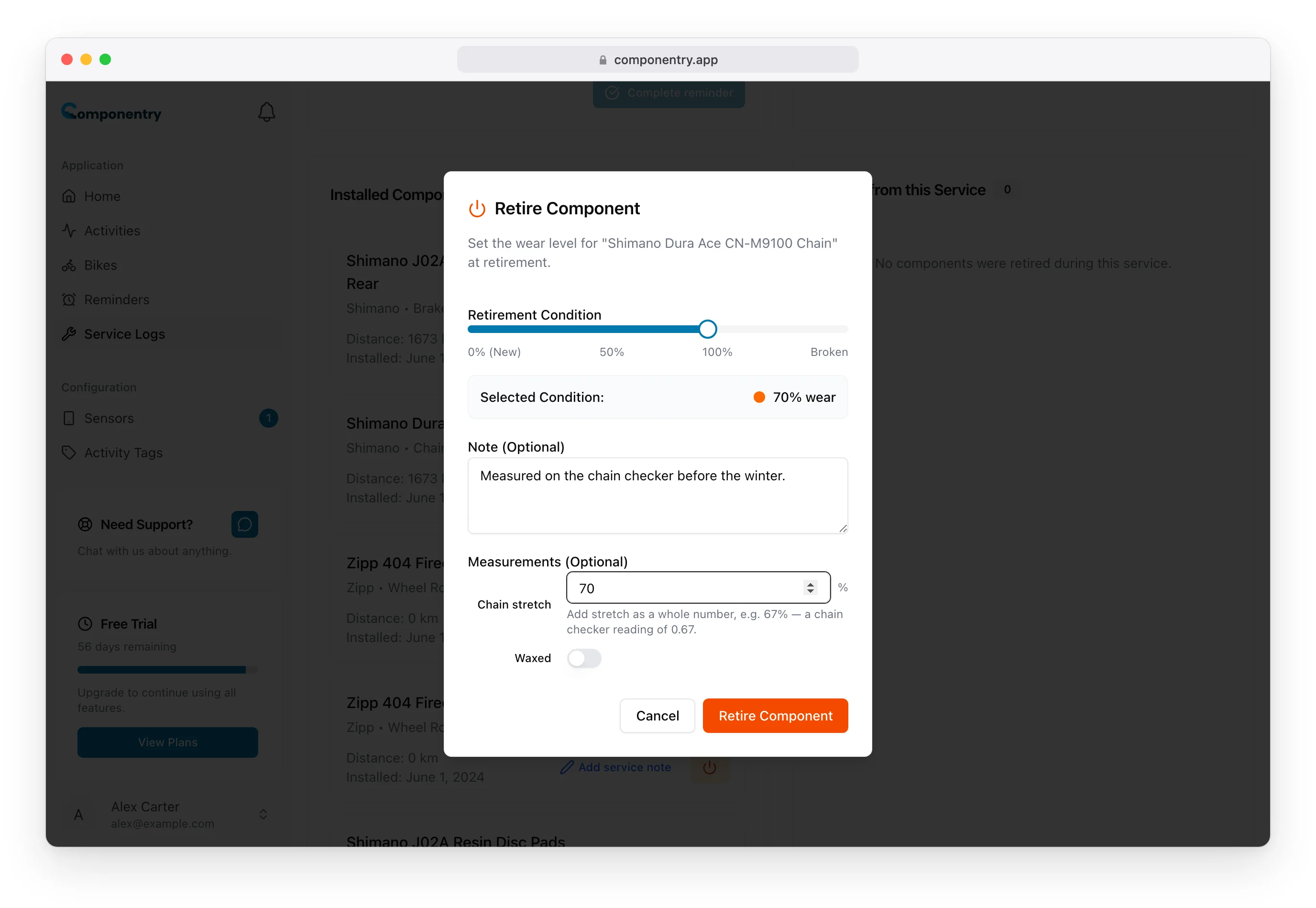
- Under Installed Components, choose the orange retire button on the part.
- In Retire Component, set Retirement Condition with the slider, from 0% (New) to 100% worn, or Broken. It starts at the part's current tracked wear.
- Optionally add a Note and Measurements, for example the chain's Chain stretch or the pads' Pad remaining. These are saved as the part's service note.
- Choose Retire Component.
The Add New Component sheet then opens, pre-filled from the part you retired: same type, manufacturer and name, and an install date matching the service date. Change anything that differs, such as a new model name, and save. If you are not fitting a replacement yet, close the sheet; the part stays retired.
To fit an extra part that replaces nothing, choose Add Component at the top of Installed Components.
What the service log shows
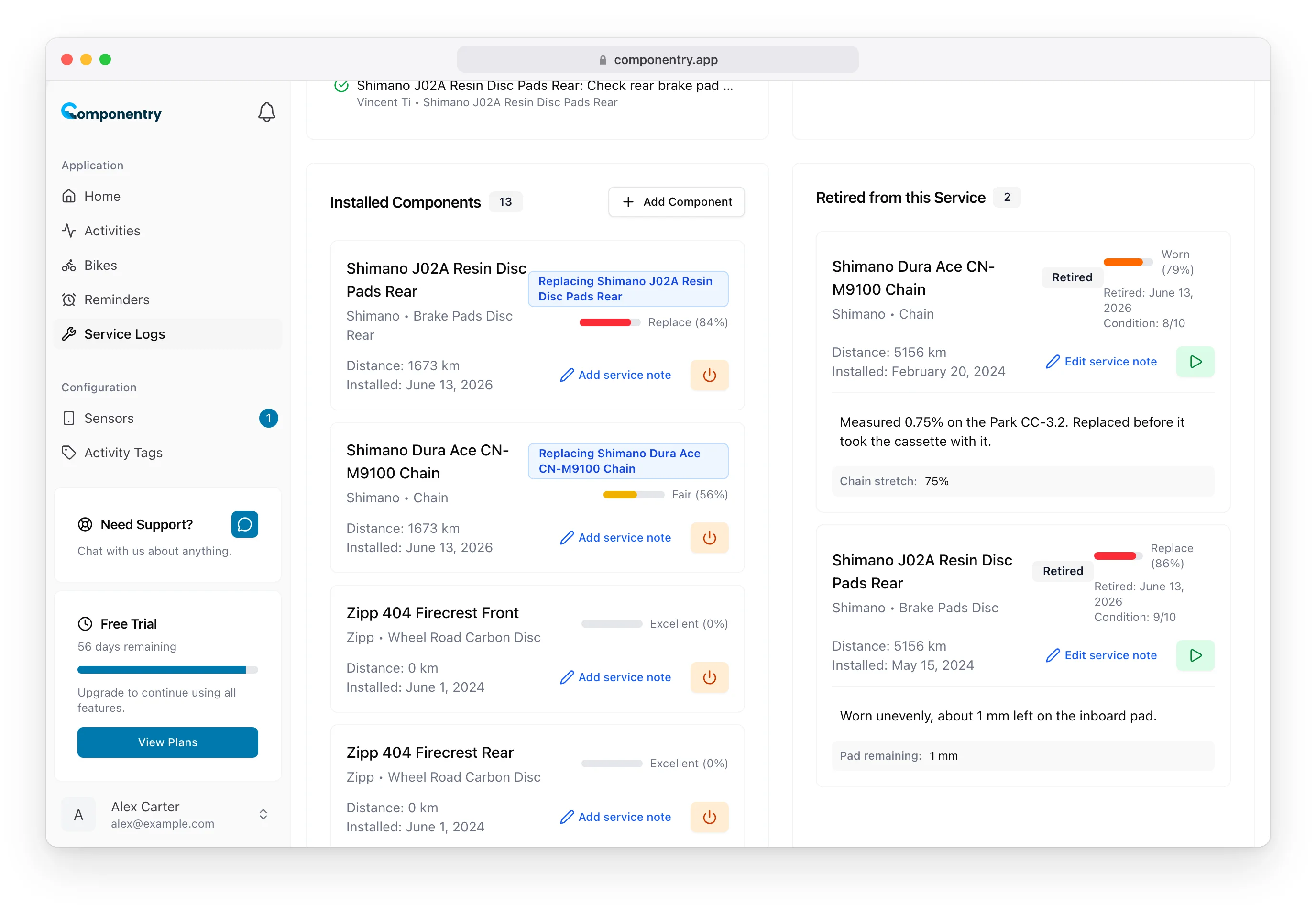
- The replacement appears under Installed Components with a Replacing … badge naming the part it replaced. Its wear is calculated from rides after its install date.
- The old part moves to Retired from this Service with its retirement date, its condition (for example Condition: 8/10 or Broken) and the note and measurements you recorded.
- The retirement date is the service's date, so on a back-dated service it matches the replacement's install date. The retired part's distance stops at that date. Change the service's date later and both move with it.
- The Service Logs list shows how many components each service retired.
Reminders follow the part
Reminders on a retired part move to its replacement when the service is Completed:
- The schedule, distance interval and pause state carry over, with the clock and distance reset to the day the new part went on.
- Reminder names follow the part name, so "Old chain: Lube/Wax chain" becomes "New chain: Lube/Wax chain".
- If the replacement already has a reminder of the same name, for example one of its automatic reminders, that reminder takes on the old settings instead of being duplicated.
- A retired part with no replacement loses its reminders.
While the service is still New or Booked, a notice on Retired from this Service reminds you that this happens on completion. If the service is already Completed, reminders move as soon as you retire or fit the part.
When you fit a replacement, Automatically create reminders for this component adds the standard reminders for its type, such as chain lubrication and wear checks. See Reminders.
Undo a retirement
In Retired from this Service, choose the green play button on the part and confirm Reactivate Component. The part becomes active again, its retirement date is cleared, wear tracking resumes, and it leaves this service's retired list. A replacement you fitted stays on the bike without its Replacing badge; retire it separately if you need to.
Retiring from the bike page
The retire button on a bike's component list no longer retires on the spot. It opens Retire in a service log and Start a service log takes you to a new full service for that bike, where you retire the part as above. Reactivating a previously retired part is still available directly on the bike page.
Retiring and replacing components inside a service works the same way in the mobile app.