Notifications
Learn how to manage your notification preferences and control how Componentry alerts you about activity, maintenance, and system events.
Notifications keep you informed about important events in Componentry - from processed activities and component wear updates to maintenance reminders and integration alerts. You have full control over which notifications you receive and how they're delivered.
What are Notifications?
Notifications in Componentry are alerts that inform you about events related to your bikes, components, activities, and account. They help you stay on top of maintenance schedules, know when activities have been processed, and be alerted when integrations need attention.
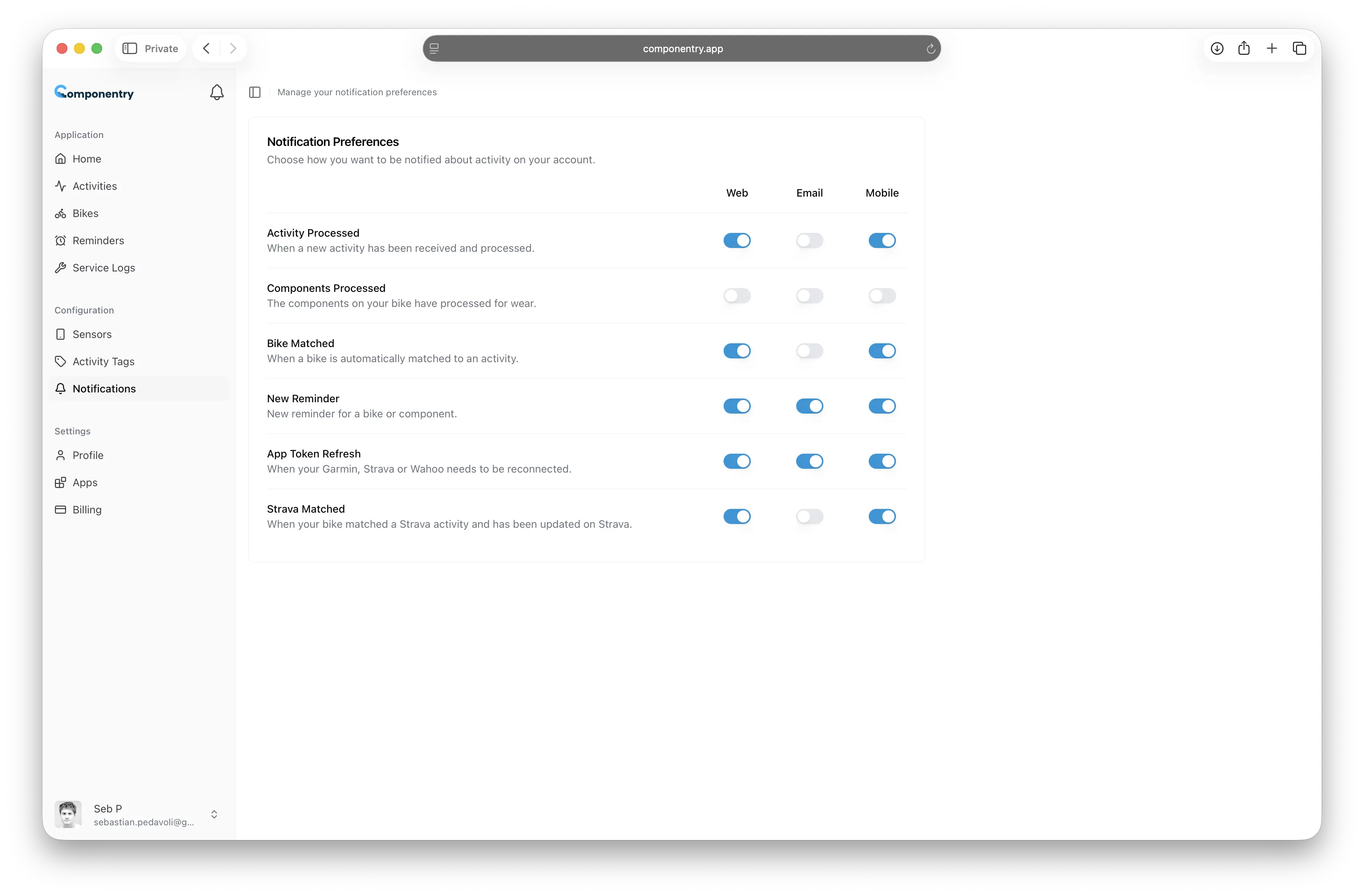
Componentry delivers notifications through three channels, and you can customize which types of notifications you receive on each channel.
Notification Channels
Web (In-App)
In-app notifications appear in the notification bell icon in the top navigation bar. They're visible when you're actively using Componentry and provide a quick overview of recent events.
Email notifications are sent to your registered email address. They're useful for important alerts that you need to see even when you're not actively using the app.
Mobile (Push)
Push notifications are delivered to your mobile device through the Componentry mobile app. They provide immediate alerts wherever you are.
Notification Types Overview
Componentry offers six types of notifications, each designed to keep you informed about different aspects of your cycling data:
| Notification Type | Description |
|---|---|
| Activity Processed | Alerts when a new activity has been received and processed |
| Components Processed | Confirms component wear data has been updated |
| Bike Matched | Notifies when a bike is automatically matched to an activity |
| New Reminder | Alerts for scheduled maintenance or component replacement |
| App Token Refresh | Warns when integrations need to be reconnected |
| Strava Matched | Confirms bike matching and sync back to Strava |
For detailed information about each notification type, see Notification Types.
Managing Your Preferences
You have complete control over which notifications you receive and through which channels. Each notification type can be independently enabled or disabled for Web, Email, and Mobile channels.
For step-by-step instructions on configuring your notifications, see Managing Notification Preferences.
Troubleshooting
If you're not receiving notifications as expected, there are several common issues and solutions depending on the notification channel.
For help with notification issues, see Troubleshooting Notifications.