Race-Day Readiness
Project every component on a bike to an event date and see what to replace before it.
Race-Day Readiness answers one question: will this bike's components last until my event, and if not, what do I replace first? Pick a date and a training plan, and Componentry projects each component's wear on that day.
Open it
Open Bikes, pick the bike you'll ride at the event, and click Race Day at the top of the bike page. Each bike has its own page. Retired bikes don't have one.
Race-Day Readiness works on any active bike. It uses the same predictive modelling as your component predictions, so it gets more confident as you log more rides from a bike computer.
Project your event
- Event date: pick the day of your race, sportive, tour or trip. It starts about eight weeks out, and any future date works.
- Training plan: how you'll ride between now and then.
- Normal — keep current volume: your recent riding carried forward.
- Build — +20% volume: a block where you ride a fifth more than usual.
- Two-week taper: normal volume, then half volume for the last two weeks.
- Four-week taper: normal volume, then half volume for the last four weeks.
- Components: which parts to include. All components covers everything on the bike. If the bike has profiles, pick the one you'll race on to project just its components plus the parts shared across profiles. No profile shows only the shared parts. The menu is greyed out on bikes without profiles.
- Click Project.
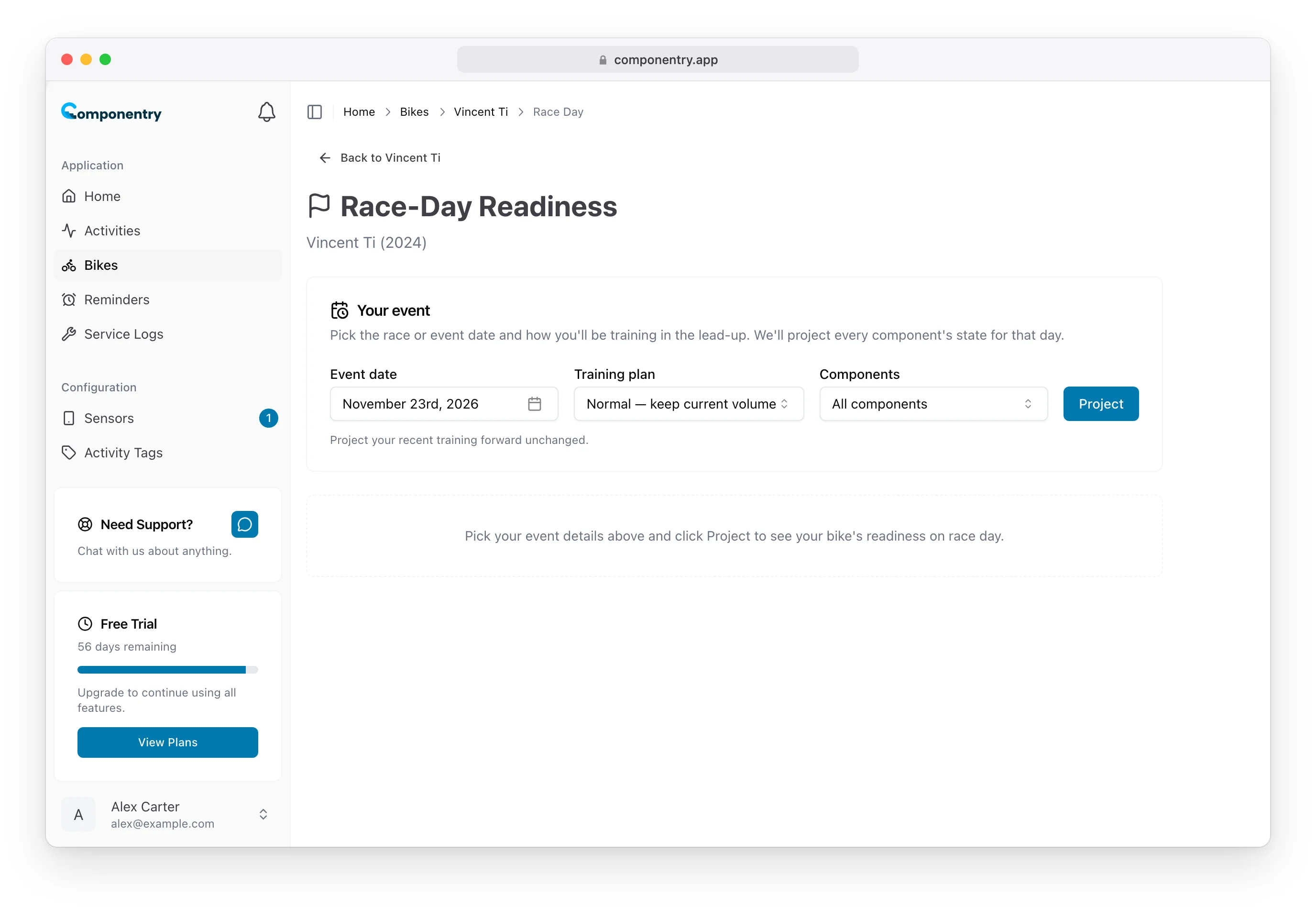
Your choices stay in the page address, so reloading the page, or coming back to it from your browser history, projects again against your latest rides. Reset clears the projection.
Read the result
The headline
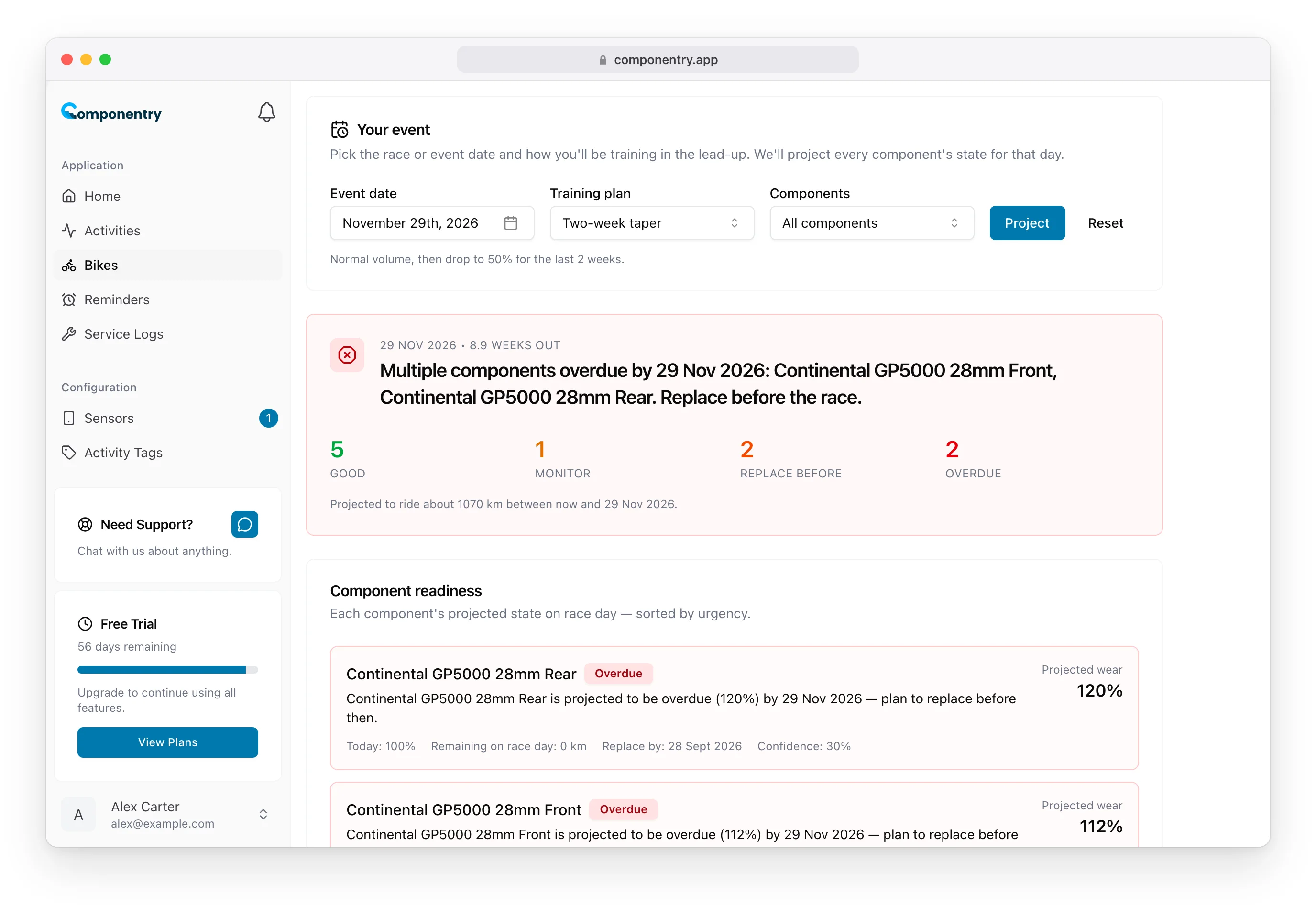
The top card gives the one action that matters most, for example "Replace your chain before 29 Nov 2026. Everything else looks good." It also shows how many weeks away the event is and how far you're projected to ride before it.
Status counts
Below the headline, every component falls into one of four groups by its projected wear on the day:
| Status | Projected wear on the day |
|---|---|
| Good | under 60% |
| Monitor | 60–84% |
| Replace before | 85–100% |
| Overdue | over 100% |
Component readiness
Each component gets a card, most urgent first, with:
- its status and a recommendation. For Replace before, that's to swap it one to two weeks before the event.
- Projected wear on the day, and wear Today
- Remaining on race day: the distance it will have left
- Replace by: the date it's projected to reach the end of its life, when there is one
- Confidence for this projection
Components without a predictive model, such as the frame, saddle or bar tape, aren't listed.
What we assumed
The last card shows the inputs behind the projection: Components in scope, Weekly distance (from your recent rides), Volume modifier and Taper from your training plan, Weather (mostly dry, mixed, or wet and cold, based on your recent rides), and Rides on record, the number of rides with bike computer data.
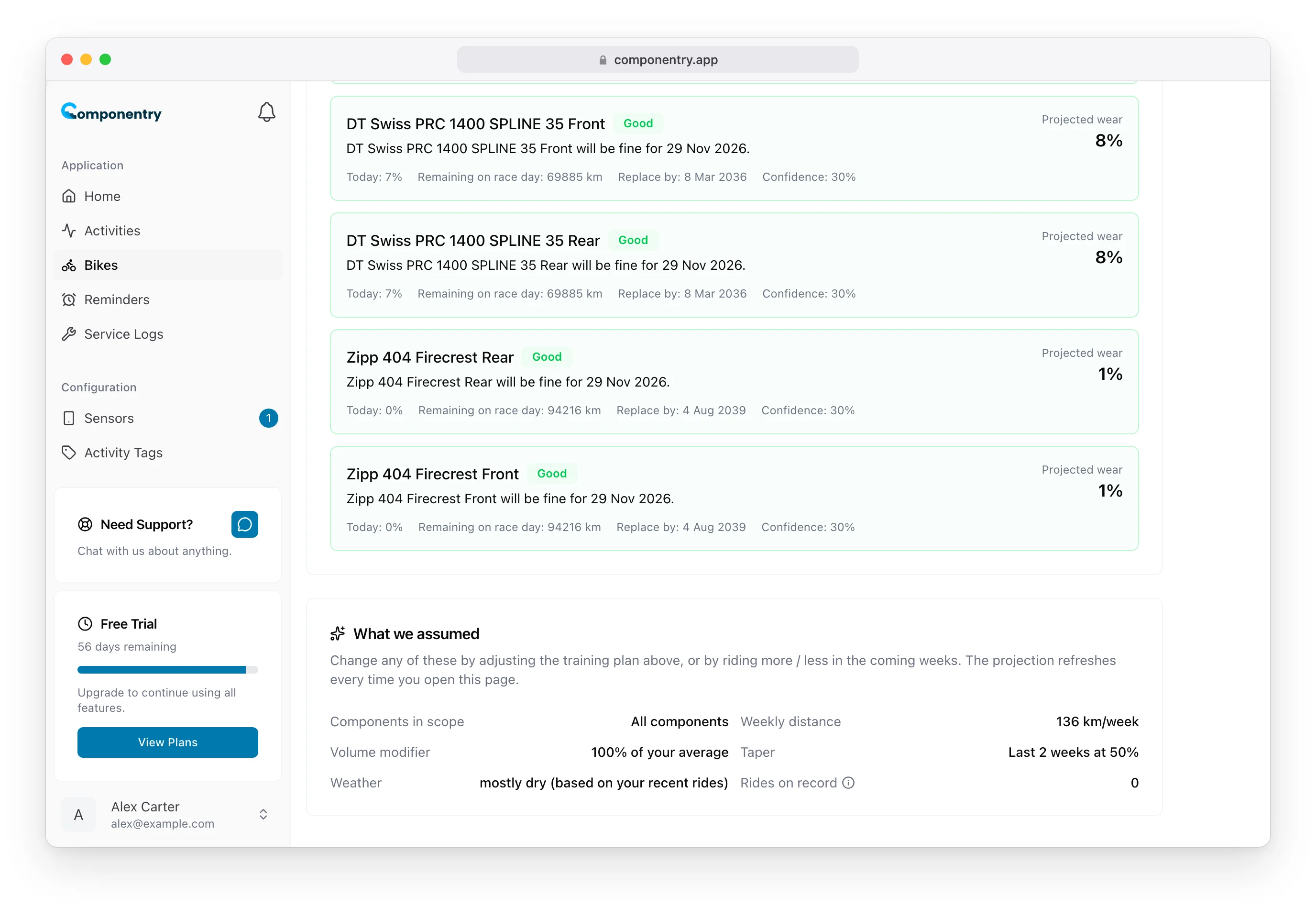
If the weekly distance is well below what you'll actually ride, choose Build or check the projection again after a few more weeks of riding.
Confidence
Each card's confidence starts from the component's prediction confidence and drops by about 2% for every week until the event, to a floor of 30%. Projections a month out are much firmer than ones four months out, so check early to order parts, then check again closer to the day.
What it doesn't do
- It projects wear, not breakages. Snapped spokes and sudden bearing failures are out of scope.
- It only knows about parts that are recorded. If you've fitted a new chain, record it in a service log so the projection starts from the new one.
The mobile app has Race-Day Readiness on each bike too, and a connected AI assistant can run the same projection for you.