Billing and free trial
How the free trial works, subscribing and managing your plan, subscriptions bought in the mobile app, and earning free months with your referral code.
Free trial
Every new account gets 60 days free with everything included. The Free Trial card at the bottom of the sidebar shows how many days are left, with View Plans to subscribe at any time.
When the trial ends, the app's pages show Keep tracking your kit with a Subscribe Now button until you subscribe. Your bikes, rides and history are kept, and everything is back as soon as you subscribe.
Subscribe
Open Billing under Settings in the sidebar.
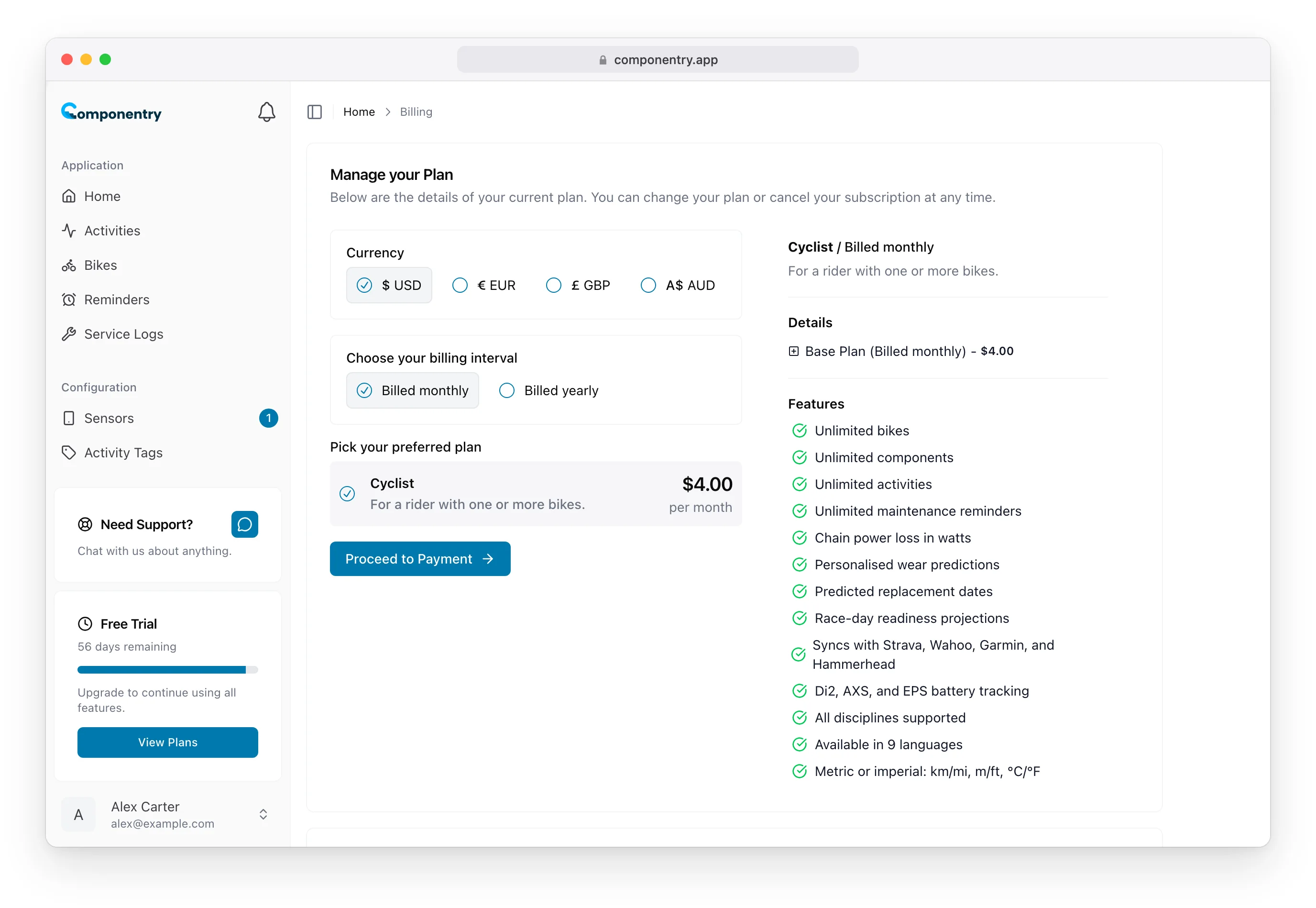
- Under Currency, choose USD, EUR, GBP or AUD.
- Under Choose your billing interval, choose Billed monthly or Billed yearly.
- Check the plan and its price.
- Choose Proceed to Payment and complete the payment.
The plan covers unlimited bikes, components, activities and reminders. See Pricing for current prices.
Manage or cancel your subscription
Once you've subscribed, Billing shows Your Plan with its status and renewal date. Choose Visit Billing Portal under Manage your Billing Details to change or cancel your plan, update your payment details or download invoices.
If you subscribed in the mobile app, Your Plan says it's managed through the App Store or Google Play. Manage or cancel it there, using the Manage subscription link.
Earn free months
Once your subscription is active, Billing shows your referral code under Share & Earn. When a friend signs up with it and starts their subscription, you both get a month free, for every friend who subscribes.
- Copy Code copies your shareable link. Anyone who opens it has your code applied when they sign up.
- Generate New Code replaces your code with a new one.
- The card counts your referrals and the credit you've earned.
Subscribers also see a Share & Earn Free Months button at the top of the dashboard, which opens Billing.
Before you subscribe, the card is called Earn Free Months and shows Subscribe to unlock your referral code.