• Plans
  • Blog
  • FAQs
  • Help
Sign InSign Up
  • Getting started with Componentry
  • Bikes
    • Adding a bike
    • Purchase and receipts
    • Distance ridden
    • Insurance
    • Bike settings
  • Components
    • Setting Up a Bike with a Template
    • Adding Components
    • Editing and Removing Components
    • Tire Pressure
    • Chains: Wax, Lube and Stretch
  • Activities
    • Connecting apps
    • Uploading FIT files
    • Editing activities
    • Pairing a ride with Strava
  • Sensors
    • Auto-matching Rides to Bikes
    • Pairing a Sensor with a Bike
    • Setting Your Bike on Strava Automatically
  • Profiles
    • Creating and Managing Profiles
    • Assigning Components to Profiles
    • Profiles and Activities
  • Reminders
    • Creating Reminders
    • Reminder schedules: time, distance and rides
    • Finding, Editing and Deleting Reminders
    • Reminders on bikes and components
    • Completing Reminders
  • Service Logs
    • Creating a Service Log
    • Maintenance Checks
    • Retiring and Replacing Components
    • Completing Reminders from Service Logs
    • Emailing a Service Report
  • Predictions
    • Unlocking Predictions
    • Personalised Wear Predictions
    • Wear Factors
    • Race-Day Readiness
    • Chain Power Loss
  • Bike Fit Measurements
    • Using Bike Fit Measurements
  • Activity Tags
    • Creating Activity Tags
    • Editing and Deleting Activity Tags
    • Hiding Activity Tags
  • Notifications
    • Notification Types
    • Managing Notification Preferences
    • Troubleshooting Notifications
  • AI Assistants
    • Connecting Claude
    • Privacy and Permissions
  • Account settings
    • Units and locale
    • Billing and free trial

Distance ridden

How a bike's Ridden total is worked out from your rides in Componentry plus the distance it had done before, and how to correct it.

Every bike shows a Ridden figure: how far it has really been ridden. It appears in the Bike Information card on the bike page and on the bike's card on the Bikes page.

Ridden is two numbers added together:

  • Rides in Componentry: every ride stored in Componentry for this bike.
  • Distance before Componentry: how far the bike had gone before you started tracking it here.

This total is the bike's odometer everywhere in Componentry, including reminders set by distance on a whole bike rather than on one component.

See how the total is made up

When a bike has a distance from before Componentry, a line under Ridden reads "Includes … before Componentry". Choose it to see the arithmetic.
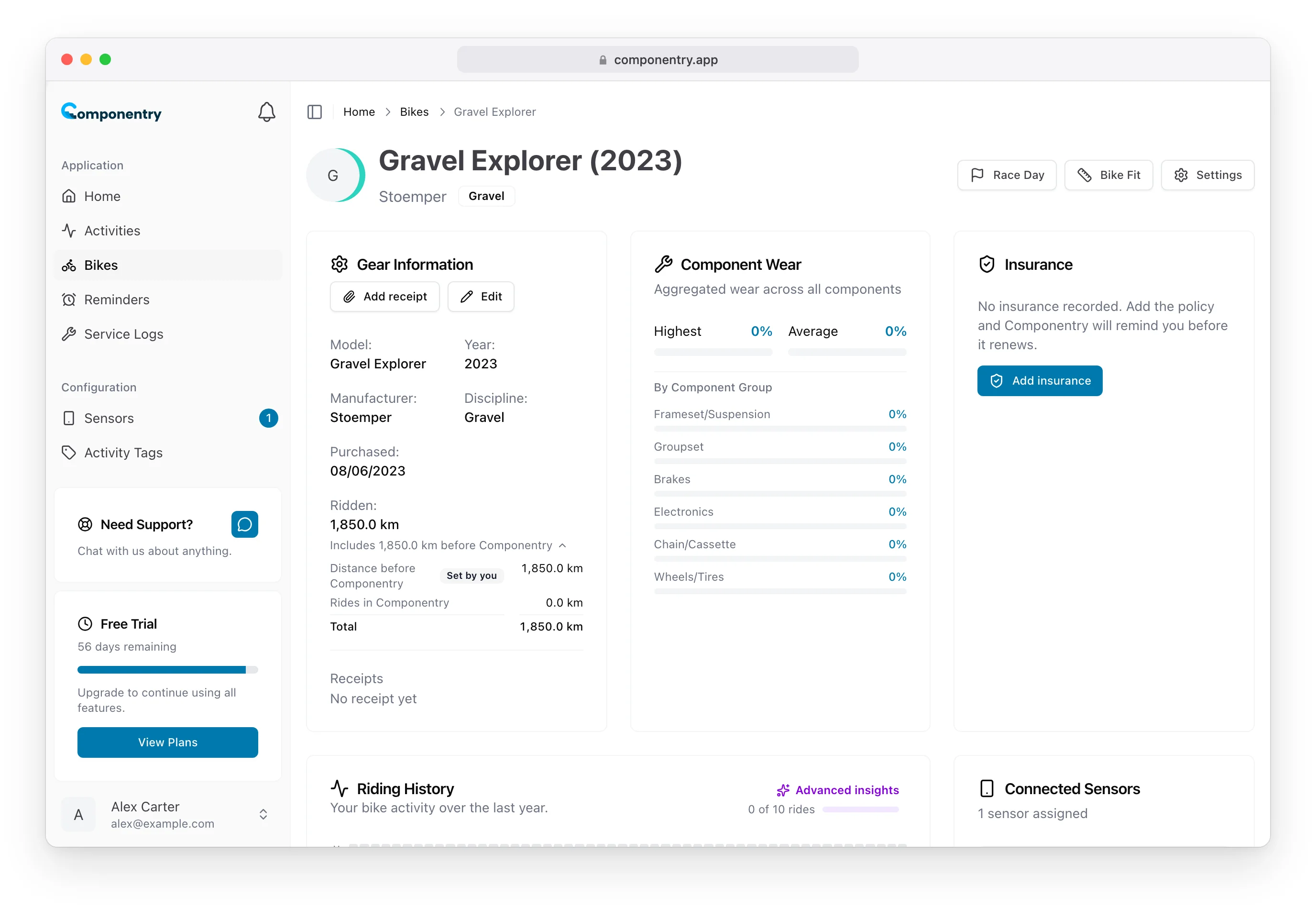
Gravel Explorer's Bike Information card with the Ridden breakdown open, showing 1,850 km before Componentry set by you

Set by you marks a figure you entered yourself rather than one Componentry worked out.

Bikes you added yourself

A bike you added yourself starts with nothing before Componentry. If it had already done some distance:

  1. Open the bike and choose Edit in the Bike Information card.
  2. Scroll to Distance.
  3. Enter Distance before Componentry in your distance unit.
  4. Choose Save changes.

Rides logged in Componentry are added on top of this figure.

Bikes imported from Strava

For a bike imported from Strava, Componentry works the starting figure out for you:

  • It takes the Strava odometer at import, the distance Strava showed for the bike when you imported it.
  • It subtracts the Rides Strava had already counted: rides Componentry imported afterwards that took place on or before the import, which are already part of Strava's odometer.

What's left is the distance before Componentry, so no ride is counted twice.

To correct it, open Edit and change either Strava odometer at import or Not covered by rides in Componentry. Leave the second field blank to keep the calculated figure, or choose Reset to calculated to go back to it after entering your own.

The mobile app shows the same total, and lets you correct it, under a bike's Details.

Know your bike, down to the individual component. Unlock more from your bike to keep it running at peak performance.

© Copyright 2026 Componentry. All Rights Reserved.
Download on the App StoreGet it on Google Play
About
  • Features
  • Predictions
  • Integrations
  • Service history
  • Reminders
  • Bikes
  • AI assistants
  • Plans
  • FAQs
  • Blog
  • Contact
Product
  • Help
  • Changelog
Resources
  • Tire pressure calculator
Compare
  • All comparisons
  • vs ProBikeGarage
  • vs Strava
  • vs Geer
  • vs WatchMy.Bike
  • vs Velo Buddy
  • vs MainTrack
  • vs Bikerly
Legal
  • Terms of Service
  • Acceptable Use Policy
  • Privacy Policy
  • Cookie Policy
Connect
  • @componentry.app
  • @componentry
  • @componentry
  • r/componentry
  • @componentry.app