Insurance
Keep a bike's insurance policy and documents with the bike, and get a reminder before the policy renews.
Each bike has an Insurance card for its policy. Record the insurer, renewal date and premium, keep the policy documents with the bike, and Componentry reminds you ahead of the renewal date every year.
Add a policy
- Open the bike and find the Insurance card, next to Component Wear.
- Choose Add insurance.
- Fill in the policy:
- Insurer (required)
- Policy number
- Starts, the start date
- Renews (required), the renewal date. It must be after the start date.
- Premium and its Currency
- Remind me: 7, 14, 30 or 60 days before the renewal. The default is 30 days.
- Notes, for example what's covered and the excess
- Choose Save.
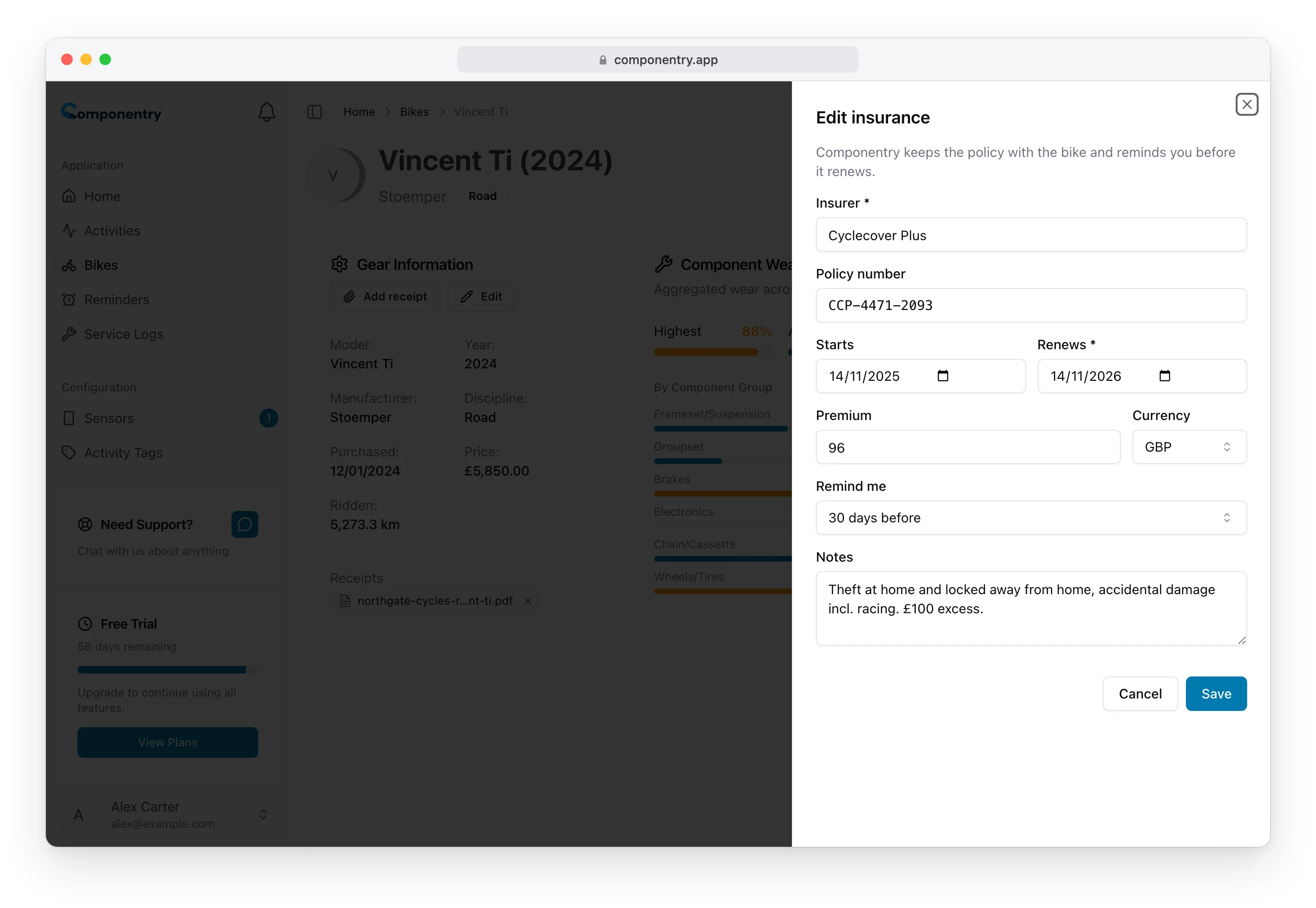
Each bike holds one policy. To change it, choose Edit on the card.
The Insurance card
The card shows the insurer and policy number, the Renews date, the start date, premium and notes, and the policy documents.
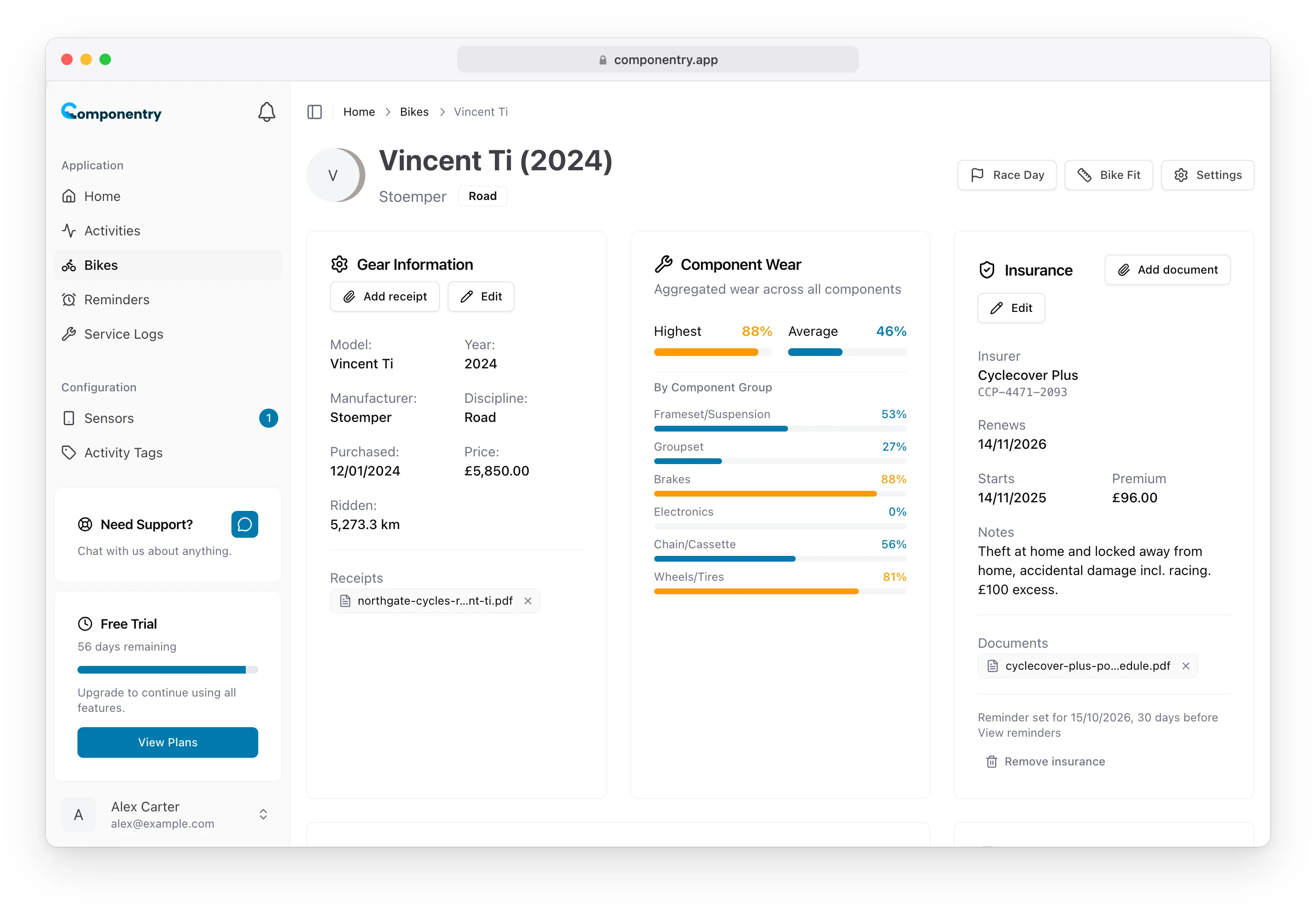
The renewal date gets a badge as it approaches:
- Renews in … days in amber, once you're inside your reminder window
- Renews today
- Lapsed … days ago in red, once the date has passed
On the Bikes page, a bike only mentions its insurance when the renewal is within 60 days or has passed.
The renewal reminder
Saving a policy sets a reminder for the bike, named after the insurer, due at 9:00 in the morning in your timezone on the day you chose ahead of the renewal. The bottom of the card shows when it's set for, with a link to View reminders.
- Changing the renewal date or Remind me moves the reminder.
- The reminder repeats every year.
- Completing the reminder means you've renewed: the policy's renewal date moves on a year, and next year's reminder is set to match.
See Reminders for completing reminders and how you're notified.
Add policy documents
Choose Add document on the card to attach the policy schedule or certificate. Documents follow the same rules as receipts: PDF, JPEG, PNG or WebP, up to 5 MB each, up to 10 per policy. Choose a document to open it in a new tab, or the × to remove it.
Remove a policy
Choose Remove insurance at the bottom of the card and confirm. The policy, its documents and its renewal reminder are all deleted.
You can manage a bike's insurance from the Insurance tile in the mobile app too.