Connecting apps
Connect Strava, Garmin, Wahoo or Hammerhead so rides sync automatically, import past rides, and avoid counting the same ride twice.
Rides reach Componentry through the apps you connect on the Apps page (Settings → Apps in the sidebar). Once an app is connected, new rides sync on their own; you can also import rides you've already done.
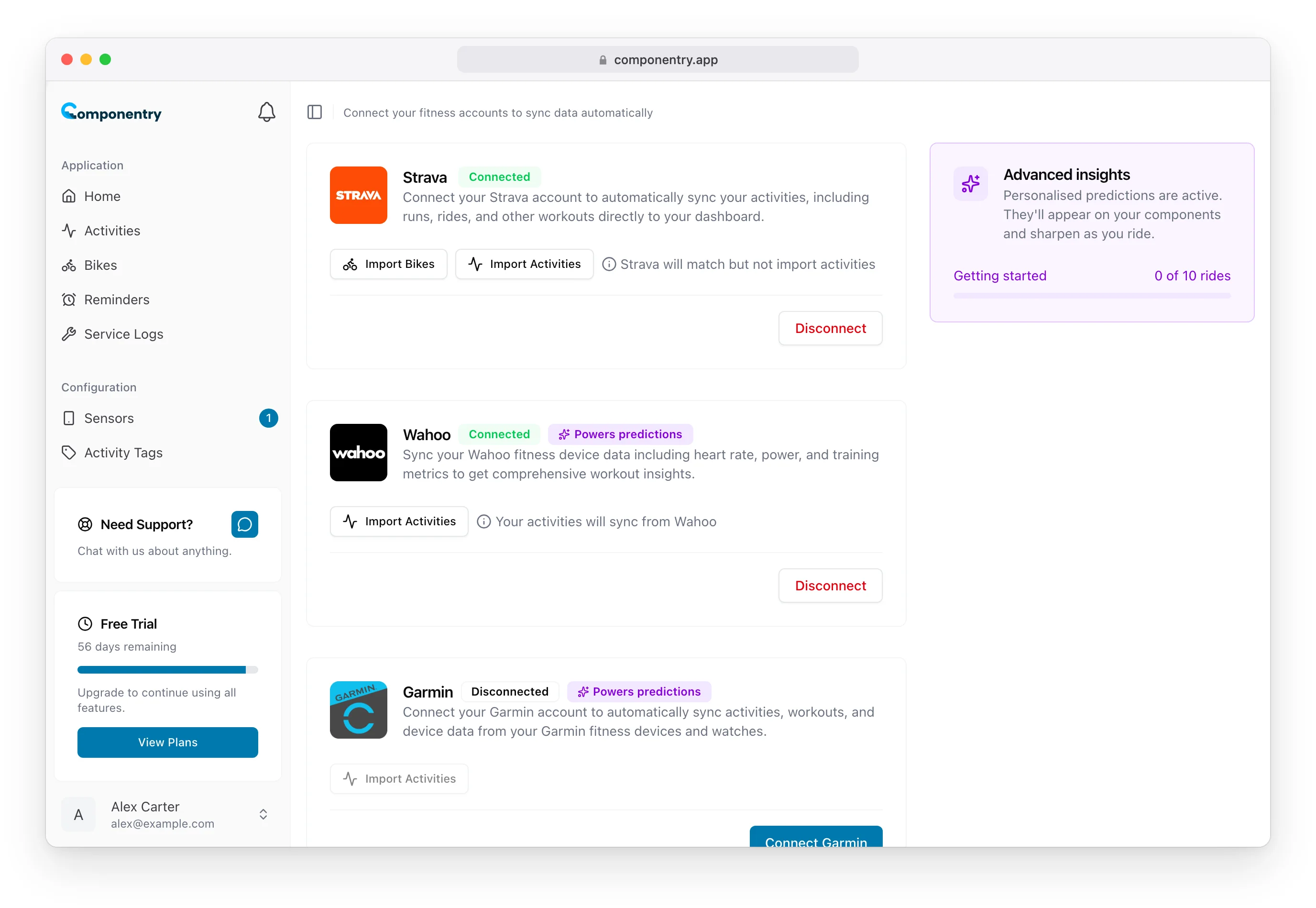
What each app brings
- Strava syncs your rides and lets you import your Strava bikes with Import Bikes. Strava only shares ride summaries, so a Strava-only account gets wear tracking but not personalised predictions.
- Garmin, Wahoo and Hammerhead send the full ride file from your bike computer. That adds the sensors seen on the ride (used to pick the right bike automatically), the battery level of your electronics, and the detail that powers personalised predictions. These cards carry a Powers predictions badge.
Only cycling activities are imported. Runs, walks and gym sessions are skipped.
Connect an app
- Open Settings → Apps.
- Select Connect Strava, Connect Garmin, Connect Wahoo or Connect Hammerhead.
- Sign in on the provider's page and allow access.
- You're returned to the Apps page and the card shows Connected.
New rides start syncing straight away. To stop syncing, select Disconnect on the card.
Import past rides
Each connected card has an Import Activities button. How far back you can go depends on the provider:
| App | What you can import |
|---|---|
| Strava | Last 30, 60 or 90 days, last 6 months or last year |
| Wahoo | Your last 7, 30, 60 or 90 workouts |
| Hammerhead | Your last 7, 30, 60 or 90 activities |
| Garmin | The last 30 days (Garmin's limit per request) |
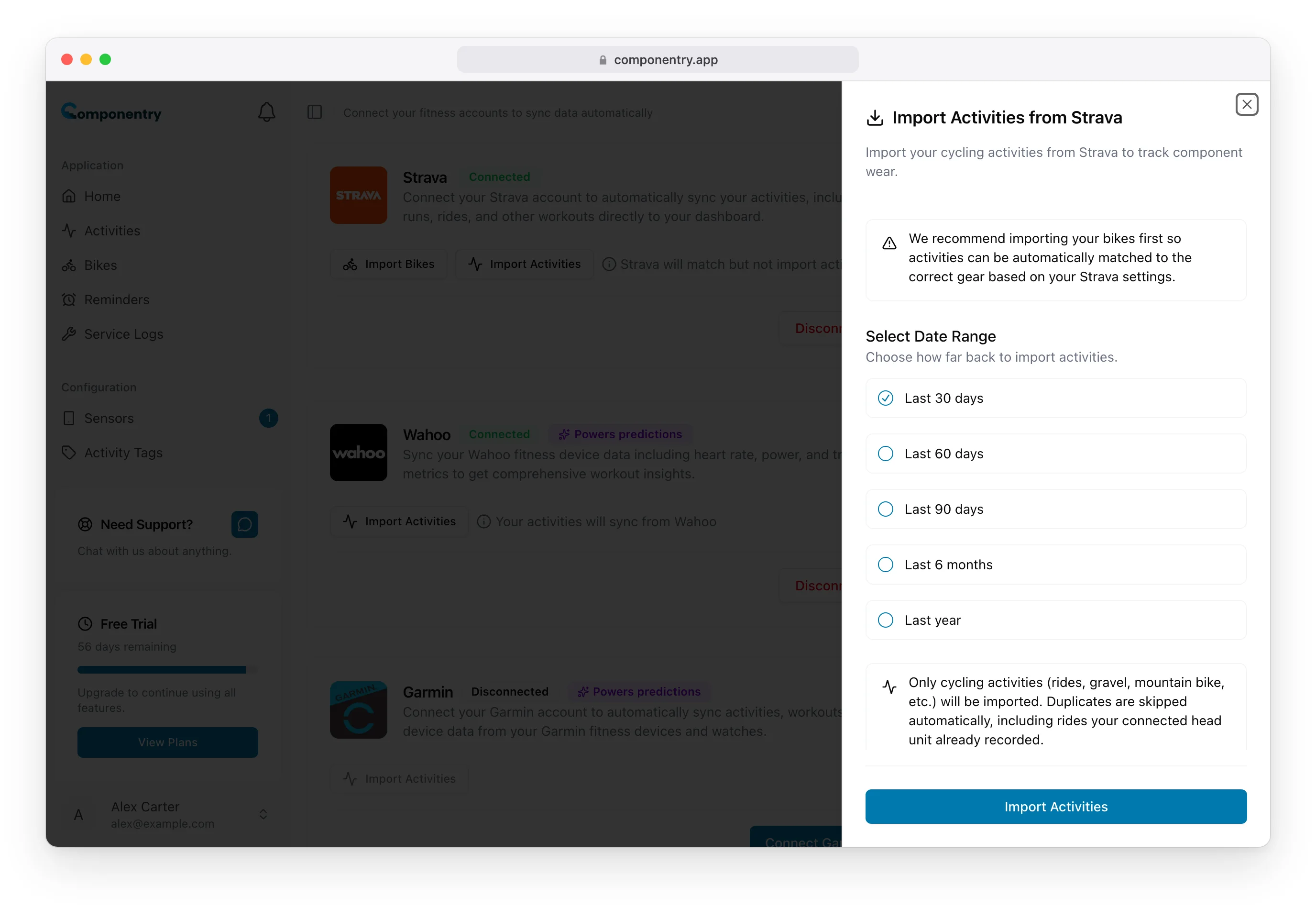
When the import finishes you'll see how many rides were imported, skipped and failed. Garmin works differently: Componentry sends Garmin a request, and rides appear on the Activities page as Garmin delivers them.
To go further back than these limits, upload your FIT files.
If you use Strava, import your bikes before your rides. That links each Strava bike to a Componentry bike, so imported rides land on the right bike.
Garmin needs one extra permission for past rides
Garmin only releases past rides if you ticked Export Your Data on Garmin's consent screen when connecting. If it's missing, the Garmin card says so and Import Activities stays disabled. To fix it, select Disconnect, connect again, and tick Export Your Data. New rides keep syncing either way.
Using Strava with a bike computer
If Strava and a bike computer (Garmin, Wahoo or Hammerhead) are both connected, the bike computer is where your rides come from. The Strava card shows Strava will match but not import activities, and the bike computer's card shows Your activities will sync from that provider.
What that means in practice:
- Each ride appears once, from your bike computer. When Strava publishes the same ride, Componentry links the two: the ride picks up Strava's route, and if the ride's sensor is linked to a Strava bike, Componentry sets that bike on the Strava activity. See Auto-matching rides to bikes.
- If you imported your Strava history before connecting a bike computer, each bike computer ride replaces its Strava copy when it arrives, keeping the Strava title, route, bike and tags. The ride only counts once towards wear.
- Import Activities on the Strava card skips rides your bike computer already recorded, so importing Strava history later is safe.
If a ride didn't link to its Strava activity on its own, you can pair it yourself.
You can also import past rides from the Componentry mobile app.