Chains: Wax, Lube and Stretch
Record whether a chain is waxed or lubed, log chain stretch readings, and keep its lube reminder up to date.
A chain is tracked like any other component, with a few extras. You can record whether it runs on wax or lubricant, log chain checker readings, and see an estimate of the watts its condition is costing you.
Wax or lubricant
Wax stays clean far longer than most drip lubes, so the choice changes how quickly Componentry expects the chain to pick up dirt.
- Open the bike and find the chain in the Components card.
- Click the link under the chain's name. It reads Add details until you've set it, then Waxed or Lubricant.
- Turn the Waxed switch on for a waxed chain, or off for lubricant, and click Save.
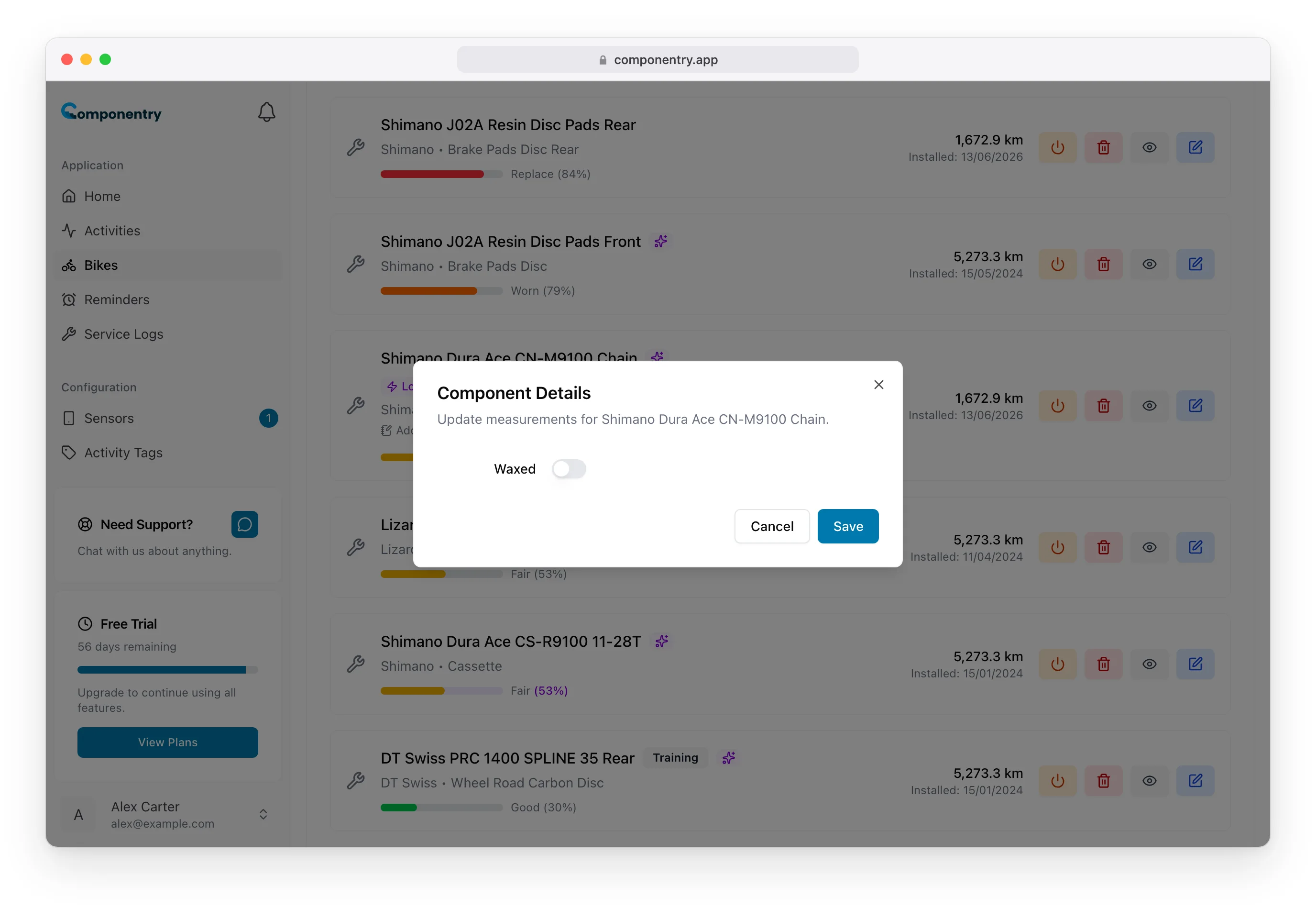
The same switch is on the Add Component and Edit Component forms, and you can record it in a service note, a maintenance check, or when you retire a chain.
Chain stretch
Chain stretch is a service-time reading, so you record it in a service log or maintenance check rather than on the chain itself. Add a note for the chain and fill in Chain stretch.
Enter the reading as a whole number: a chain checker reading of 0.67 is entered as 67. Readings above 1% are out of range and won't save.
Once the service or check is completed, the reading replaces Componentry's own estimate of stretch in the chain power loss figure. Without one, stretch is estimated from your riding.
Lube reminders
A chain added with automatic reminders gets two:
- Check chain wear: a regular reminder to measure the chain.
- Lube/Wax chain: repeats by distance or every two weeks, whichever comes first.
Lube/Wax chain is a lubrication reminder. Marking it complete tells Componentry when you last cleaned and lubed the chain, which resets the power-loss estimate. See Completing reminders.
When you replace a chain in a service log, its reminders move to the new chain once the service is completed, with the schedule starting from the day it went on.
Watts lost to the chain
Chains show a purple chip in the component list, for example Loss 3.6 watts · Recoverable 3.2 watts:
- Loss: everything the chain's condition costs you compared with a clean new chain.
- Recoverable: the part a clean and fresh wax or lube wins back.
est. after the figures means the estimate uses assumptions, usually because the chain has no lubrication reminder yet, or you have fewer than 10 rides from a bike computer. The chain's detail panel breaks the figure down. Chain power loss explains how it's worked out.
Replacing a chain
A new chain goes on in a service log, where you retire the old one, record its stretch, and fit the replacement in one step. See Retiring and replacing components.
The mobile app has the same Waxed switch, stretch readings and power-loss figures.