Adding Components
Add a single component to a bike, with its manufacturer, profile, life limits and any wear it already has.
Use Add Component to add one part at a time: a new chain, a second set of wheels, a power meter battery. To add a whole bike's worth at once, use the setup wizard instead.
Add a component
- Open Bikes, pick the bike, and click Add Component on the Components card.
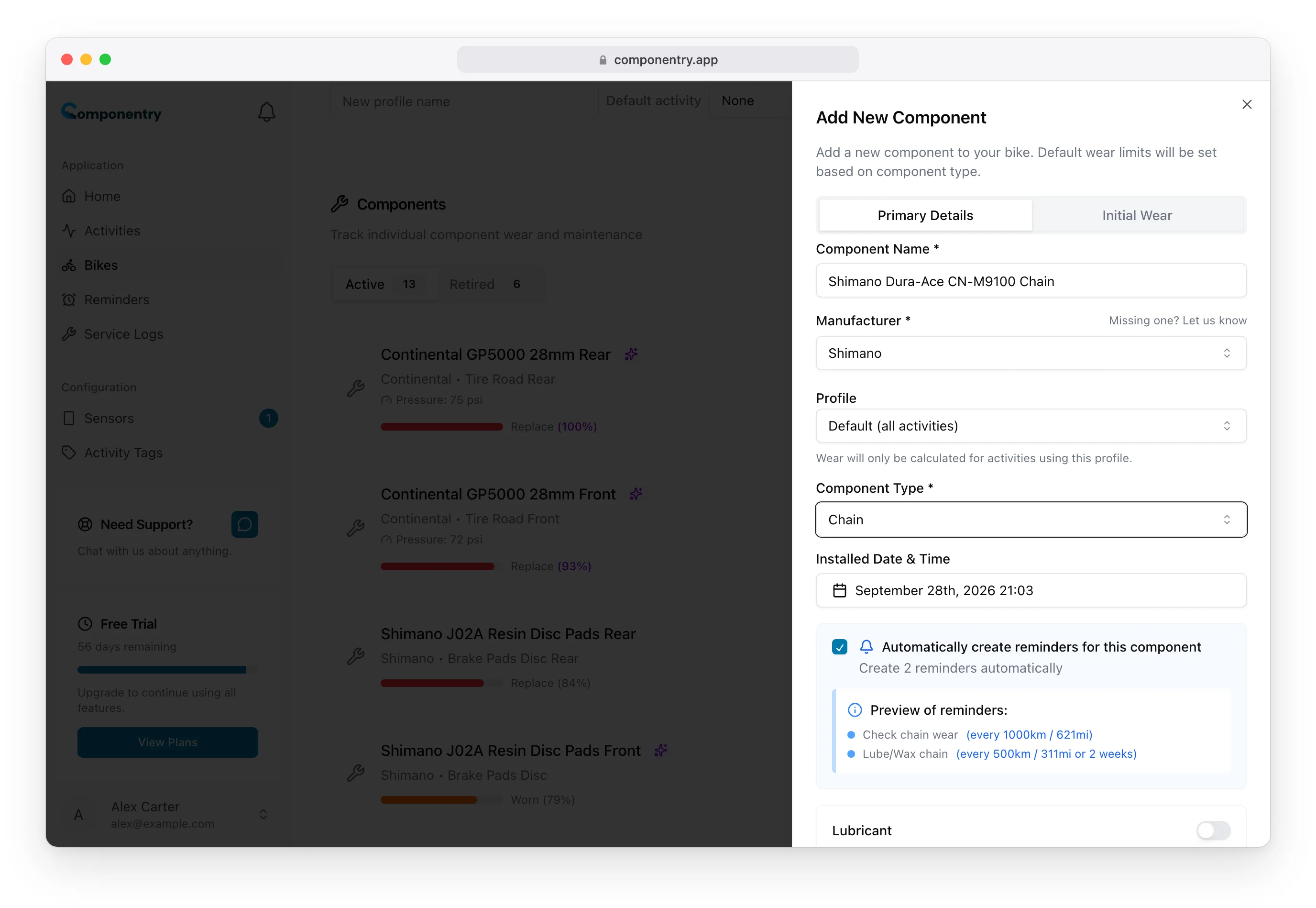
- On the Primary Details tab, fill in:
- Component Name: what you'll recognise it by, such as "Shimano Dura-Ace CN-M9100 Chain".
- Manufacturer: pick from the list. Type the first letters of a brand to jump to it. If the brand isn't there, click Missing one? Let us know to email us and we'll add it.
- Profile: shown only when the bike has profiles. Leave it on Default (all activities) for parts that are always on the bike. Pick a profile for parts you swap, such as race wheels, so they only wear on rides using that profile.
- Component Type: grouped into Wheels / Tires / Tubes, Groupset, Brakes, Frameset, Electronics, and Cables / Fluids / Bar Tape.
- Installed Date & Time: defaults to now. Set it to when the part went on. Rides on the bike after this date count towards its wear.
- Check the Life Limits. Picking a type fills in a default Distance Limit, Duration Limit and Time Limit. Change them if you know better, or set a limit to 0 to ignore it.
- Click Add Component.
Automatic reminders
Some types come with maintenance reminders. When you pick one, Automatically create reminders for this component appears, ticked, with a preview. For example:
- Chain: Check chain wear and Lube/Wax chain
- Tires: a regular tire wear check
- Brake pads and rotors: a wear check
- Derailleur Cage / OSPW: Check pulley wheels and bearings
- Batteries: Charge groupset battery
Untick it to skip them. See Reminders for how they work.
Type-specific details
A few types ask for extra details on the form:
- Tires, including track tires: a Pressure field. See Tire pressure.
- Chain: a Waxed / Lubricant switch. See Chains.
Track wheels and tires
Under Wheels / Tires / Tubes, choose Alloy Track Wheel - Disc, Carbon Track Wheel - Disc, Front Track Tire or Rear Track Tire. These types have no default life limits, because track wear varies so much between riders and events. Enter your own Distance Limit, Duration Limit or Time Limit under Life Limits.
Parts that aren't new
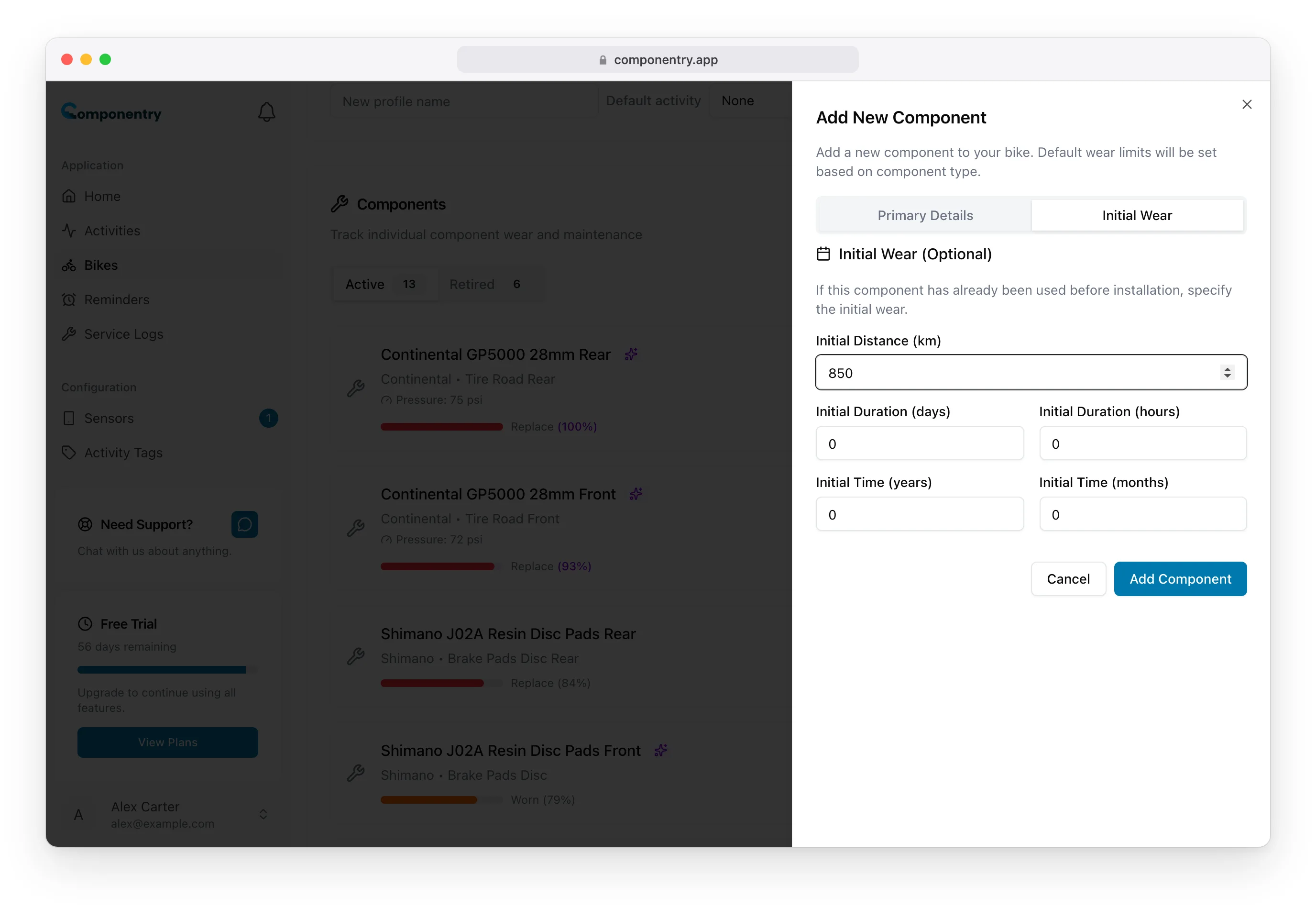
If the part has been used before, on another bike or before you started using Componentry, open the Initial Wear tab and enter the Initial Distance, Initial Duration and Initial Time it already has. Componentry adds your riding on top.
Derailleur cages and oversized pulley wheels
An aftermarket derailleur cage or oversized pulley wheel system (OSPW) can be tracked separately from the derailleur. Choose Derailleur Cage / OSPW under Groupset. It has its own default life, the Check pulley wheels and bearings reminder, and personalised predictions once you have them. The pulley bearings usually wear out long before the cage itself.
After you add it
The component appears in the list straight away, and Componentry works out its wear from the rides already on the bike since the installed date. To change anything later, use the edit button on its row. See Editing and removing components.
When you replace a worn part during a service, add the new one from the service log instead so it's linked to the part it replaced. See Retiring and replacing components.
You can also add components from the mobile app.