Pairing a ride with Strava
Link a bike computer ride to its Strava activity by hand, take the Strava title, and change or disconnect the pairing later.
When Strava and a bike computer are both connected, Componentry links each bike computer ride to the matching Strava activity on its own. If two rides started close together, or Strava was slow to publish, the link can be missed. You can then pair the ride yourself.
A paired ride gets the same as an automatic match: the Strava route and start and end points, weather if the ride didn't have it, and the ride's bike set on the Strava activity when that bike is linked to a Strava bike.
Pairing is for rides that came from a bike computer or a FIT upload. Rides imported from Strava are already Strava activities, so they don't show the option. You need Strava connected on the Apps page (see Connecting apps).
Pair a ride
- On the Activities page, select the ride to open its details.
- Under Strava, select Pair Strava activity.
- Choose the Strava activity from your 20 most recent. The one whose start time is nearest the ride is marked Closest match and, if it isn't linked to anything yet, already selected.
- If the Strava title differs from the ride's name, Rename this ride to appears, ticked. Leave it ticked to take the Strava title, or untick it to keep the current name.
- Select Pair activity.
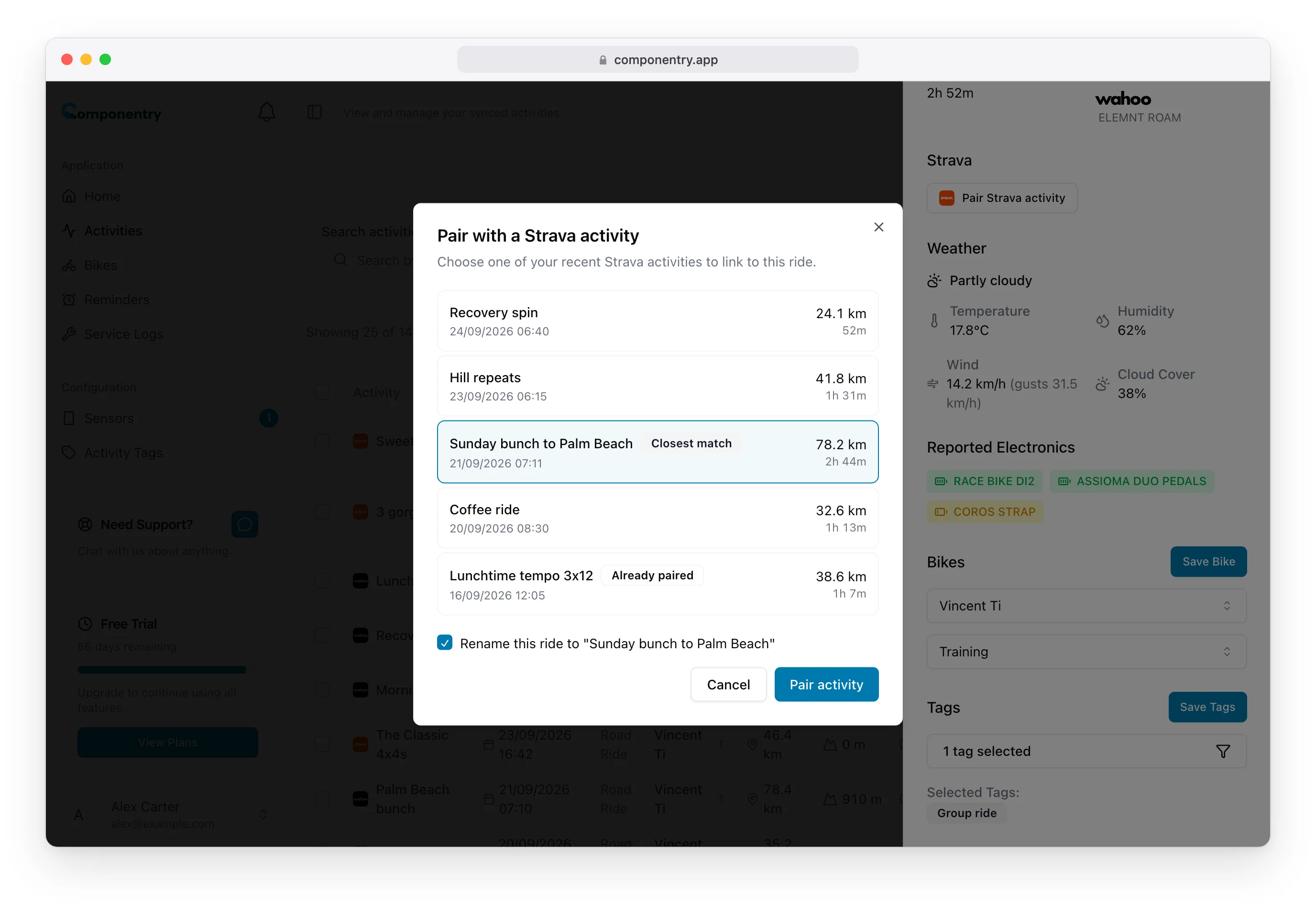
Badges in the list tell you what each Strava activity is already linked to:
- Imported: it's already in Componentry as a ride imported from Strava.
- Already paired: it's paired with another ride.
- Currently paired: it's paired with this ride.
If you pick one that's Imported or Already paired, a note warns that pairing links it to both rides. If that imported copy is the same ride, it's now in Componentry twice. Delete the copy you don't need so the ride only counts once towards wear.
Change or disconnect a pairing
Once paired, the Strava section shows the Strava activity's title and start time.
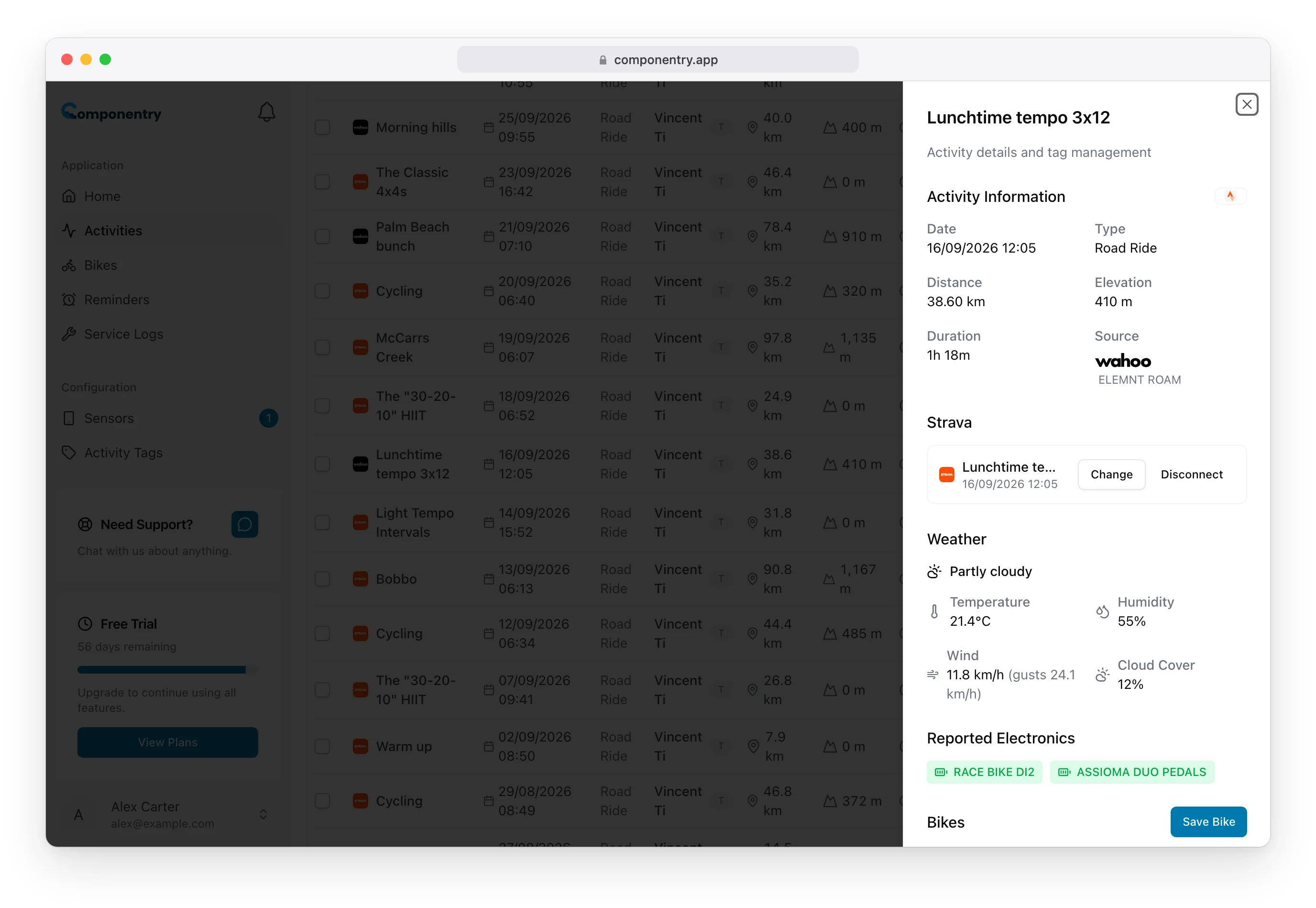
- Change opens the same list so you can pick a different Strava activity.
- Disconnect removes the link. The ride itself stays, with its bike, weather and wear.
A small Strava logo in the ride's Tags column on the Activities page shows it's linked to Strava.